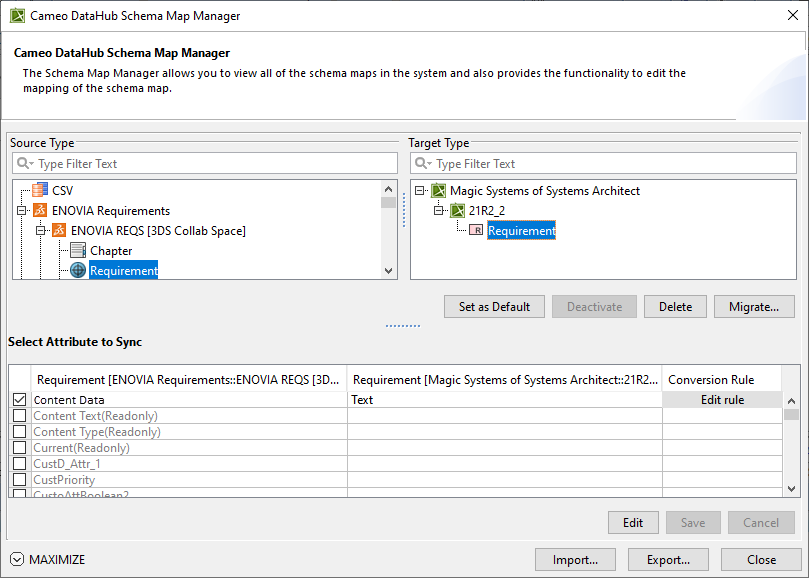
The following UI components in Schema Map Manager are explained in the following table
UI component
Function
Source Type
All the source types from all Data Sources currently in the system.
Target Type
All the target types from all Data Sources currently in the system.
Set as Default
Sets the current schema configuration as the default one. After clicking, the button changes to Remove Default. Clicking Remove Default removes the schema configuration from the selected source and target types.