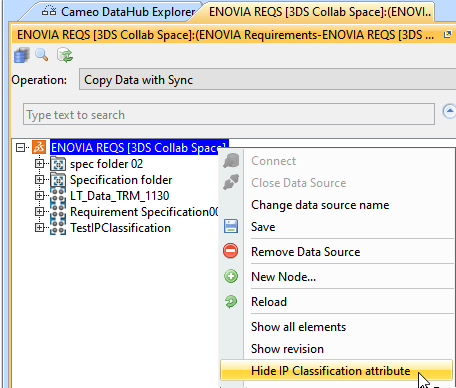
To view custom added attributes through IP classification
- Right-click on the ENVOIA REQS data source and select Show IP classification attribute
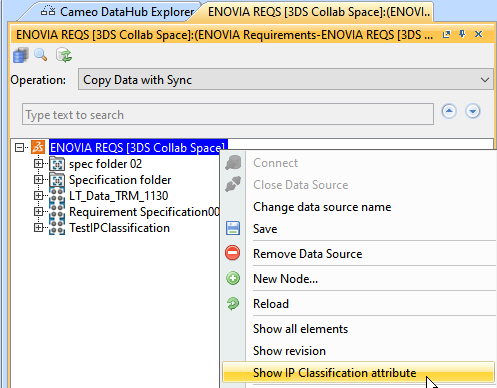
After you click on the Show IP Classification attribute command, the data source will be reloaded and the list of custom added attributes will be visible in the properties tab.
To view the properties tab
- Right click on the data source and select Properties
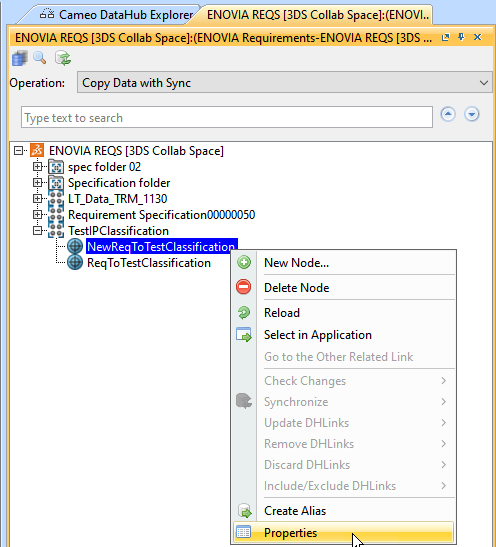
- A new tab will display the properties of the selected data source.
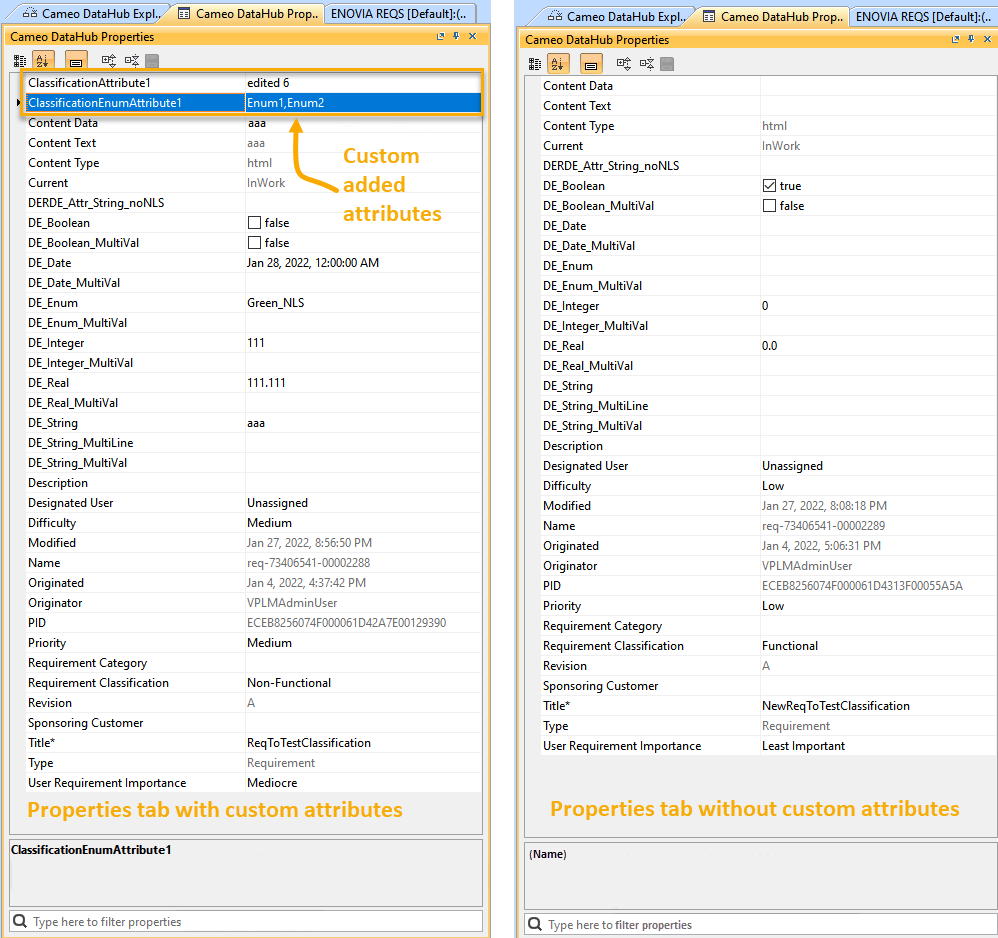
To hide the custom added attributes through IP classification
- Right-click on the ENVOIA REQS data source and select Hide IP classification attribute