You can use MATLAB Version R2016b or later to evaluate expressions written in MATLAB syntax in the Simulation Toolkit. You must install MATLAB and set up your modeling tools to call and use it.
Note
For successful integration, you must use the 64-bit version of MATLAB to align it with the 64-bit version of modeling tools, e.g., MagicDraw or Cameo Systems Modeler.
To enable the Integrations menu, you must change the perspective to Full Featured, System Engineer,or Software Architect (from the main menu, select Options > Perspectives > Perspectives, select Full Featured, System Engineer,or Software Architect, and click Apply).
To integrate a modeling tool with MATLAB
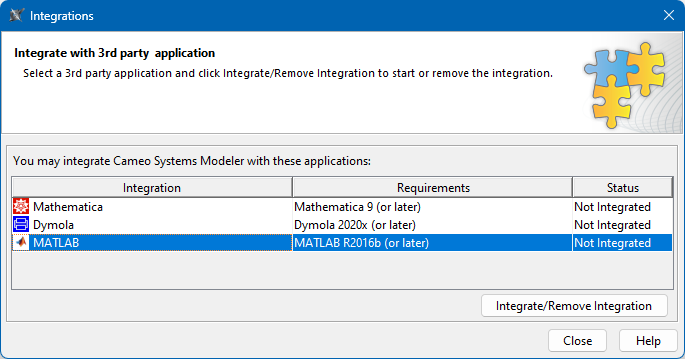
From the main menu, click Tools > Integrations. The Integrations dialog opens.
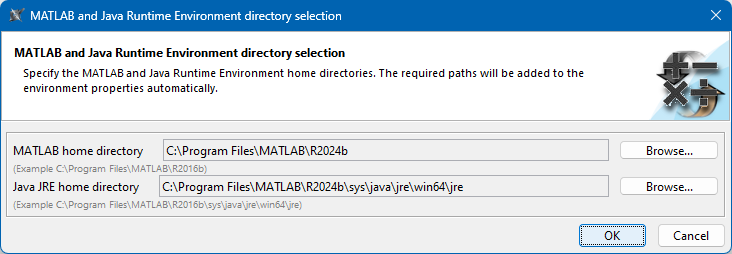
Select MATLAB and click Integrate/Remove Integration. The MATLAB directory selection dialog opens.
Specify the MATLAB home directory, e.g., C:\Program Files\MATLAB\R2024b.
The JRE home directory is selected automatically.
Click OK and restart your system or the modeling tool.