When you simulate a model, the Sessions pane will open to display simulation of each element in the model. During the simulation, if you ever need to see what diagram a Behavior being simulated has, you can double-click the session in the Sessions pane of the Simulation window. The following figure shows the Sessions pane when Magic Model Analyst / Cameo Simulation Toolkit is executing the Blackjack sample (Blackjack.mdzip). If you double-click the Behaviors outlined in red, a new tab will open to display the corresponding diagram.
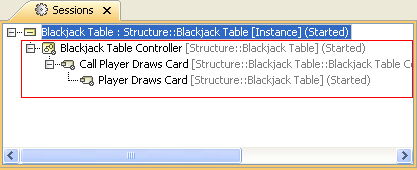
The Sessions tab of the Simulation window.