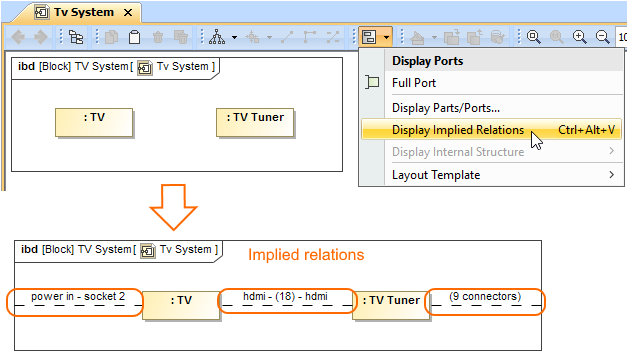
You can display implied relations between Part Properties, ports, diagram frames which are connected through ports/interfaces.
To display implied relations
Select the Part Property shape, diagram pane, or diagram frame you want to display implied relations.
Do one of the following:
- Right-click to open the shortcut menu, and select Display > Display Implied Relations.
- On the diagram toolbar, click
 and select Display Implied Relations.
 - Press Ctrl+Alt+V.
The implied relations are displayed between Part Properties, ports, and/or diagram frame. By default, the implied relation is represented as a dashed line with a short summary in label of how many actual connectors are underneath. You can specify a different style of the implied relation by using its the Symbol Properties dialog. The Label Display Mode property is described separately in the Changing the label display mode page.