All owned and inherited ports and their interfaces of the selected Block are collected on the left of the Block Specification window > Ports/Interfaces. Manage them by creating, redefining or deleting.
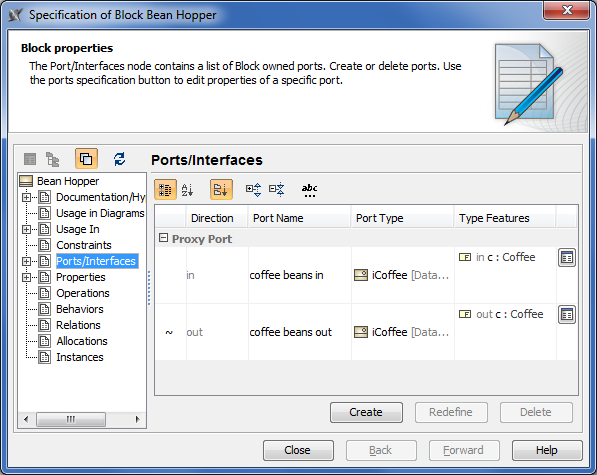
| Column name | Description |
|---|
| Direction | Direction prefix of the port. The tilde symbol (~) appears before the direction prefix when the port is conjugated. How to conjugate port >> |
| Port Name | Name of the port. |
| Port Type | Type of the port. |
| Type Features | Features of the port type. |
