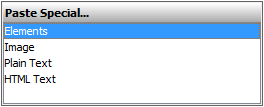
It is possible to copy a listed text from other resources (Word, Excel, HTML, etc.) and create as many elements as you need by pasting it. Each item of this list becomes a new element in the model. The basic numbering and bullets are not reproduced in the model.
You can do this either:
Avoid names duplication, because elements with the same name cannot be created for the same owner.
Creating elements in the Containment tree
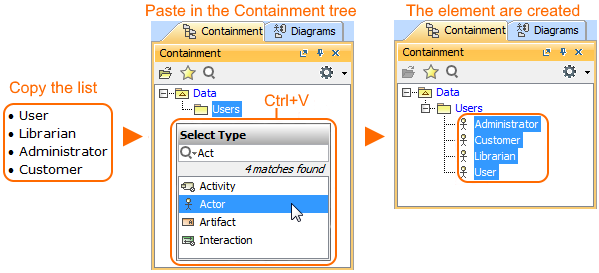
To create the elements from the clipboard in the Containment tree
From the shortcut menu select Paste or press Ctrl+V.
From the Select Type dialog choose the element type. The named elements are created in the model. As example, see the figure below where the Actors are created in the Containment tree by pasting the list.
Steps of creating elements from clipboard in Containment tree
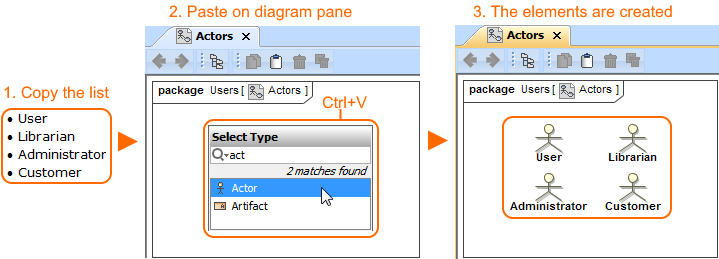
Creating elements on the diagram pane
There are two ways to create the elements from the clipboard on the diagram pane: