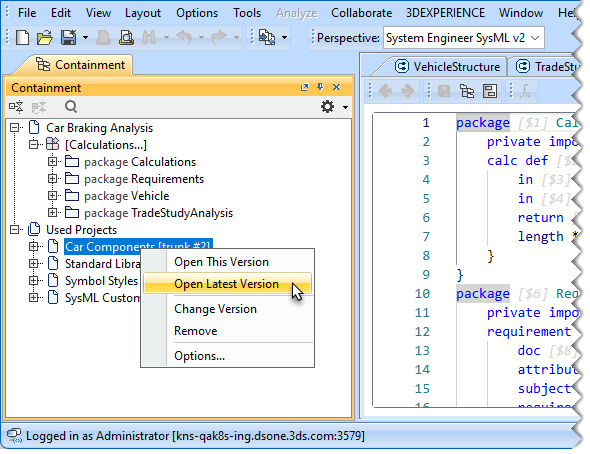
Server projects can only use other projects in read-only mode. To edit a used project, you must open it as stand-alone.
To open a used project for editing
In the Containment tree of the main project, expand the Used Projects node.
Right-click a used project and select one of the following:
Open This Version - to open the used project version that the main project currently uses. If the used project version is not the latest one, the project will open in read-only mode.
Open Latest Version - to open the latest version of the used project for editing.
Note that the used project version/iteration is not updated after editing the used project.