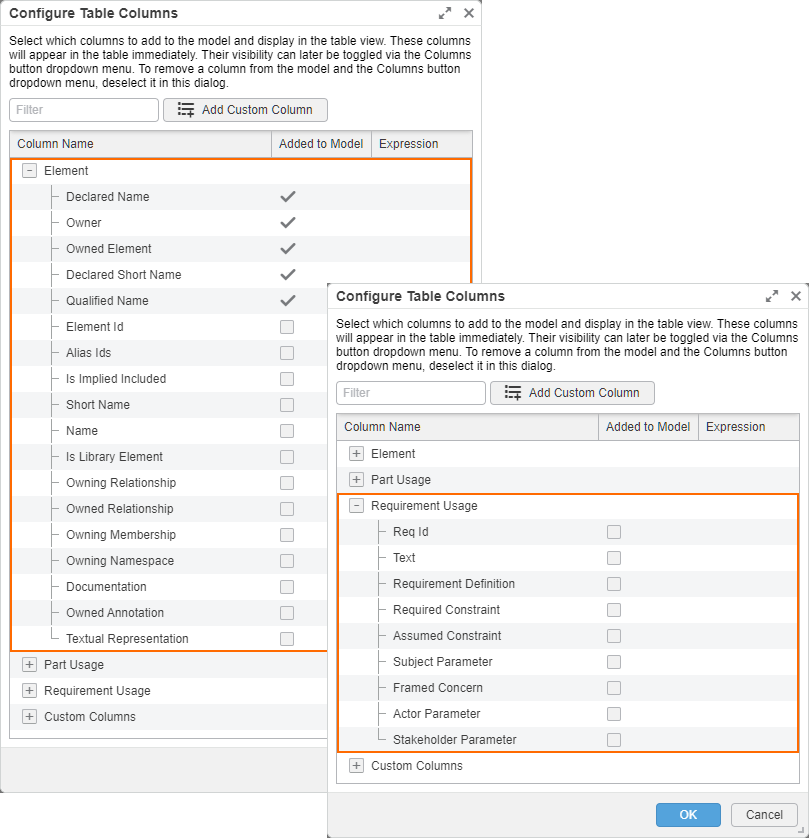
You can customize the suggested column list in the Configure Table Columns dialog for a specific table (tabular view usage or definition) by specifying a featureByCondition part. It allows you to indicate a specific metaclass or metadata to make it available in the suggested column list, including its meta-features. The meta-features are grouped under the metaclass/metadata and are available for selection.

Customizing the suggested column list in the Configure Table Columns dialog

To customize the suggested column list with specific metaclass/metadata and its meta-features in the Configure Table Columns dialog 


  1. Within the body of a tabular view, create a part usage, define it by DS_Styles::CoreStylesComponents::Predicates::ByElementMetaclassCondition, and redefine featureByCondition.
  2. Within the body of the part, create a ref item and redefine elementMetaclass, then set the default to the metaclasses and/or metadata you want to include in the suggested column, listing them in parentheses using metadata access expression.

view 'DroneStructure' : DS_Views::TabularViews::gt {
    expose DroneStructure::**;
    filter KerML::Root::Element::isLibraryElement == false and hastype SysML::PartUsage;

    // redefining the featureByCondition:
    part : DS_Styles::CoreStylesComponents::Predicates::ByElementMetaclassCondition :>> featureByCondition {
        // redefining the elementMetaclass and specifying the needed metaclasses:
        ref item :>> elementMetaclass default (KerML::Element.metadata, SysML::RequirementUsage.metadata);
    }

    render rendering :>> asTable {
        view :>> 'Declared Name';
        view :>> Owner;
        view :>> 'Owned Element' [0];
        view :>> 'Declared Short Name' [0];
        view :>> 'Documentation Body' [0];
        view :>> 'Qualified Name' [0];
    }
}