Projects can only use other projects in read-only mode. If you want to edit a used project, you must open it as a stand-alone. You can do this from within the main project in which the project is used by following the procedures listed below.
Opening a used project via the Containment tree
To open a used project via the Containment tree
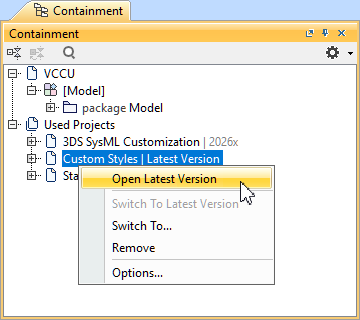
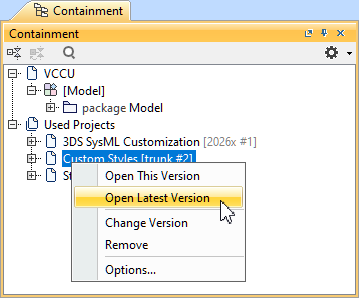
- In the Containment tree, expand the Used Projects node.
- Right-click a used project and select one of the following:
- Open This Version.
- Open Latest Version.
The used project is opened.
Opening a used project via the Project Usages dialog
To open a used project via the Project Usages dialog
- Managing local used projects.
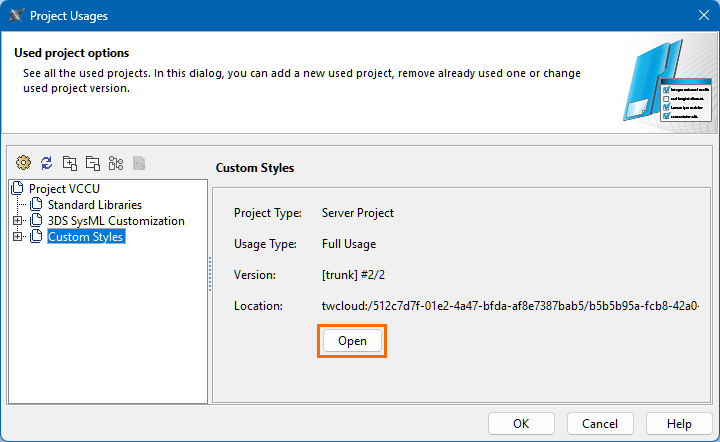
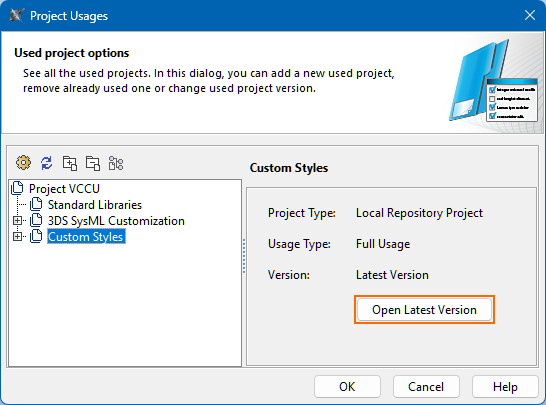
- In the Project Usages dialog, select a used project, then on the right side section of the dialog, click the Open button.
- Click the OK button to close the Project Usages dialog.
The used project is opened.