You can print:
- Active diagram
- Any diagram(s)
- All open diagrams
- Selected symbols of active diagram
You can specify the printing options or preview pages by using the following dialogs:
- Print Dialog
- Print Options Dialog
- Print Preview Window
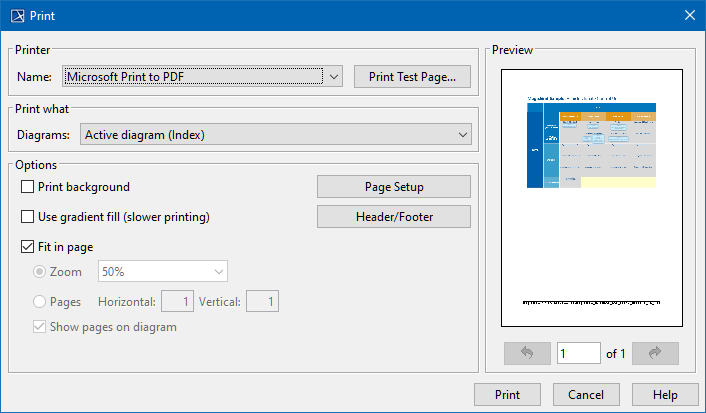 Print dialog
Printing
Printing an active diagram
To print an active diagram
- Open a diagram you want to print.
- Do one of the following:
- In the main toolbar, click the
 Print Active Diagram button.
 - In the main menu, click File > Print or press Ctrl+P on the keyboard. On the Print dialog, Print what area, select Active diagram, and click the Print button.
Printing any diagram(s)
To print any diagram(s)
- In the main menu, click File > Print or press Ctrl+P on the keyboard. The Print dialog opens.
- In the Print what area, choose Selected diagram(s). The Select Diagram dialog opens.
- Select the diagram(s) you want to print.
- Click OK.
- Click the Print button.
Printing all open diagrams
To print all open diagrams
- In the main menu, click File > Print or press Ctrl+P on the keyboard. The Print dialog opens.
- In the Print what area, select All opened diagram(s).
- Click the Print button.
Printing selected symbols of active diagram
To print selected symbols of active diagram
- On the diagram, select the symbols you want to print.
- In the main menu, click File > Print or press Ctrl+P on the keyboard. The Print dialog opens.
- In the Print dialog, Print what area, choose Selected symbols of active diagram
- Click the Print button.
Print preview
You can preview diagrams before printing them using the Print Preview window.
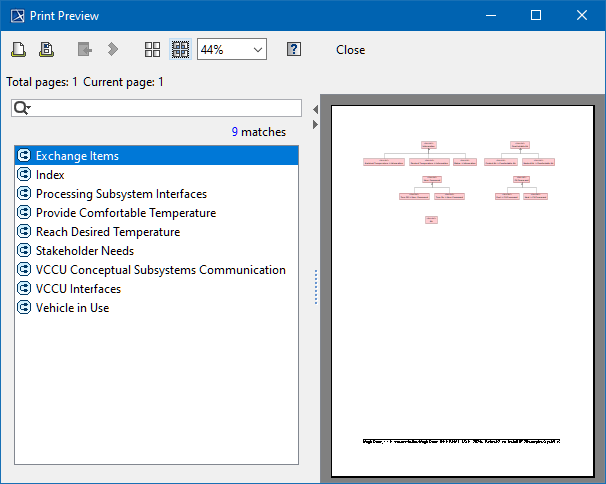 Print Preview window
Previewing diagrams before printing
To preview diagrams before printing
- Open the Print Preview window in one of the following ways:
- In the main toolbar, click the
 Print Preview button.
 - In the main menu, click File > Print Preview.
- Select the diagram you want to preview from the list on the left side of the window. The diagram is previewed on the right side of the window.