

The Operation list in the Cameo DataHub Explorer panel provides several options for you to work with your data. The table below briefly explains the functions of the DataHub operations. Copies data and creates synchronization (DHLinks) between the source and target nodes. Nodes in the modeling tool are updated or deleted whenever their corresponding nodes in associated tools are updated or deleted. The newly created nodes can be transferred to other associated tools as well.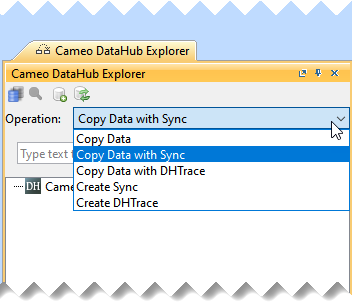
Operation drop-down list
Operation Function Copy Data Only copies the data with child nodes. Copy Data with Sync Copy Data with DHTrace Copies data and creates DHTrace links between the source and target nodes. DHLinks are used to trace the changes. Create Sync Recreates synchronization (DHLinks) if you lose or delete the DHLinks without replicating the data. Create DHTrace (with OSLC links) Creates DHLinks between the source and target nodes without copying any data.
Creates an OSLC link from an IBM® Rational® DOORS® Next Generation Data Source to a MagicDraw® element.
Cameo DataHub 2024x Documentation
Overview
Content Tools