You can also use the Excel Import plugin to select the imported properties of the schema class and some properties of a UML element, a SysML element, or your own model, and map them on a mapping diagram. Excel Import can create a mapping diagram to represent the class mapping.
You can create a mapping diagram in either way:
- Creating a Mapping Diagram when Importing a Schema Class
- Creating a Mapping Diagram after Importing Schema Classes
You can map a schema class with a UML meta model by selecting the UML profile (UML2.5 or UML2.5 Meta Model with attributes.mdzip) as the target element. Once you have a class mapping, you can import data according to the mapping. For more information about importing data to a class mapping, see Importing Data to a Schema Class or Importing Data Through a Class Mapping.
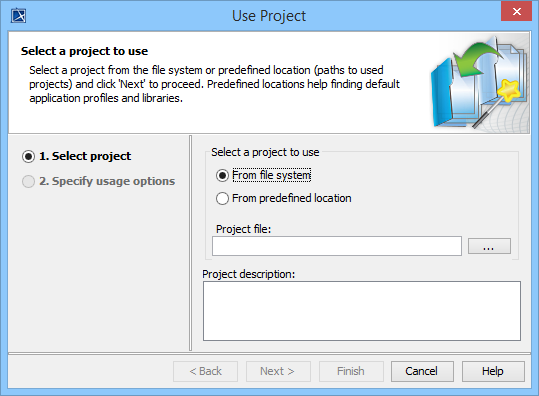
To select the UML profile as the target element, you need to load UML 2.5 by the following steps.
- From MagicDraw main menu, click File > Use Project.
- On the Use Project dialog, shown below, select the
 radio button, then click
  to browse and locate the project file.
 - The project file is at MagicDraw installation folder\samples\UML2 Meta Model with attributes.mdzip
- Click
 .
.