

You can create project branches only if you are the project Administrator.
To create a project branch
- From the Collaborate menu, select Projects. The Manage Projects dialog opens.
- Select the project from which you want to create a branch.
- Do one of the following:
- Click the Create Branch button.
- If you want to create a branch from the specific version of the project, click
 , in the open dialog select the desired project version, and click the Create Project button.
Enter the branch name and comment in the appropriate boxes.
If you want to branch a project together with used projects, select the Branch used projects check box and select the used projects to branch.
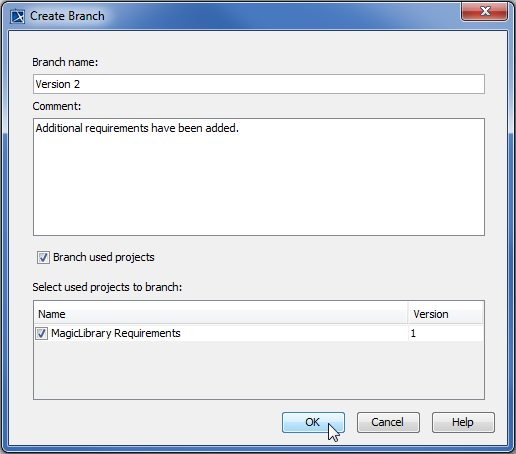
- Click OK.
A new project branch is created.
Related pages