

If you no longer want to use a diagram as a layout template, you need to remove the «layoutTemplate» stereotype from it. To do this, follow the steps below.
To stop using a diagram as a layout template
- Ensure that nothing is selected on the diagram pane.
- Right click the diagram and select Stereotype.
- In the Stereotype dialog, clear the layoutTemplate check box.
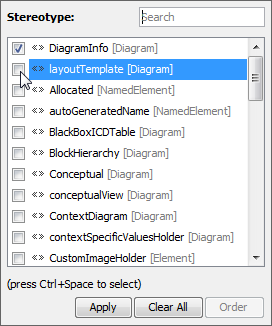
- Click Apply.
The «layoutTemplate» stereotype disappears from the header of the diagram, and it can no longer be applied as a layout template.