SysML Plugin TWRT Documentation


The detailed information about Proxy Port interfaces is collected on the left of the Port Specification window > Interface Block Properties.
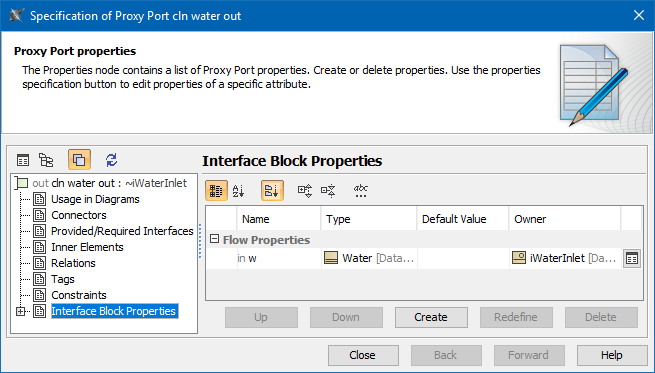
The Interface Block properties group in the Specification window of the Proxy Port.
| Column name | Description |
|---|---|
| Name | Compartment name. |
| Type | Compartment type. |
| Default Value | Use to set the value manually. |
| Owner | Interface Block which is the owner of the selected Proxy Port. |
| Button name | Description |
|---|---|
| Opens the Specification window of the compartment |
| Up | Move item to upper position in the list. The items are automatically renumbered after moving. |
| Down | Move item to lower position in the list. The items are automatically renumbered after moving. |
| Create | Opens the list with the available to create properties. Click to create the Value Property, Flow Property or Reference Property. |
| Redefine | Duplicates the selected item and marks its name in ascending order. |
| Delete | Removes the selected item from the list. |

Overview
Content Tools