
...
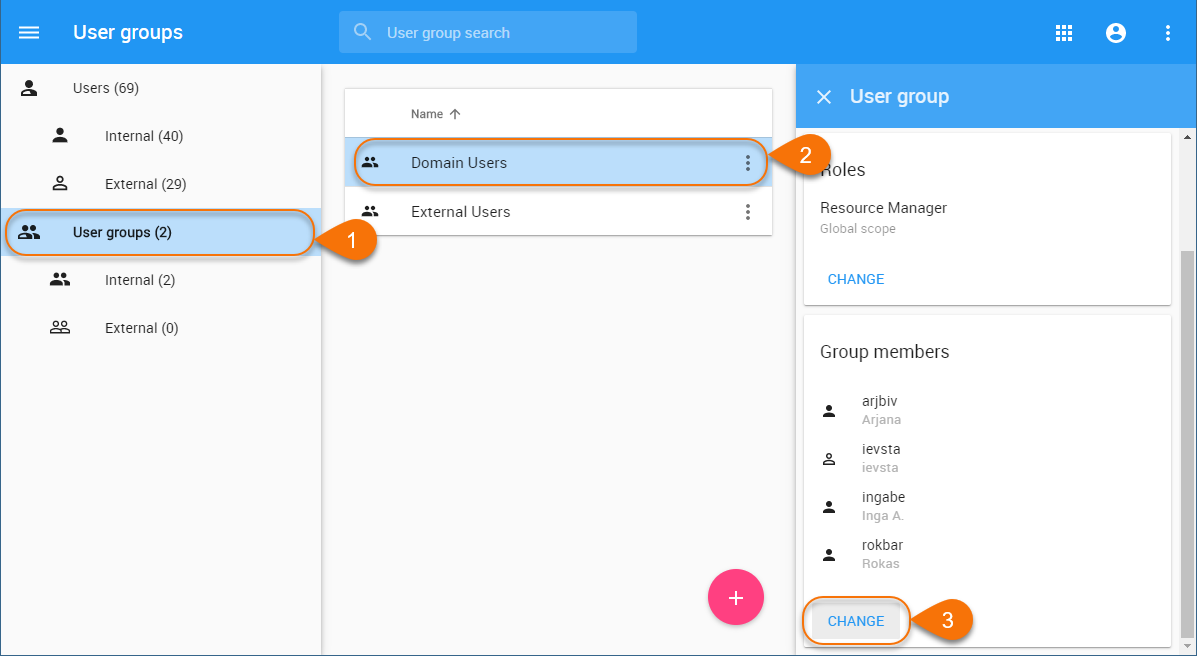
- Go to the Users application and select User groups in the user/user group filter on the left side of the screen.
- In the content pane, select the user group you want to remove a user from.
- When the User group pane opens, click the change button in the Group members card.
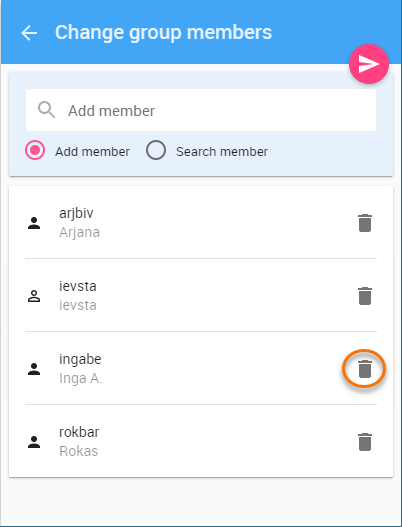
When the Change group members pane opens, click
next click
 next to the name of the user you want to remove.
Tip title Finding users If the group has a lot of users, select the Search member radio button and type the user name in the search bar to find the user you need.
- Click
 to save the changes.