ImageSwitcher can also be also be displayed on the web UI for the most common image file formats (jpg, tif, png, and gif) along with the standard UI modeling diagram. You must select the Generate HTML menu from either the context menu (right-click) of each ImageSwitcher element or from the toolbar of UI diagram. The Simulation Console pane will then display the following message: INFO: HTML file(s) is/are generated to <projectName> folder. 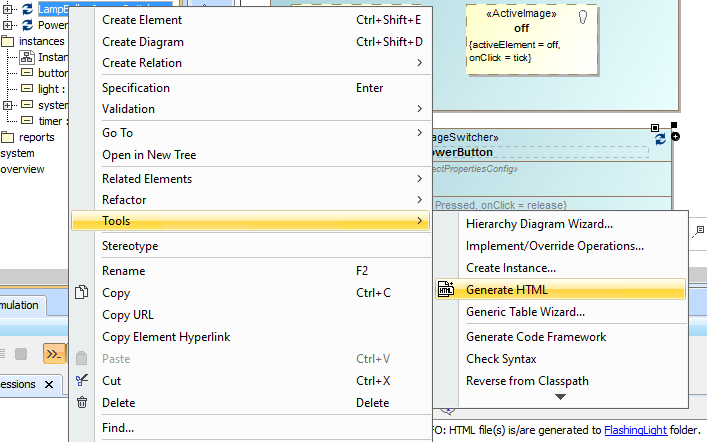 Image RemovedThe Generate HTML context menu of ImageSwitcher Image RemovedThe Generate HTML context menu of ImageSwitcher
The Generate HTML context menu of ImageSwitcher.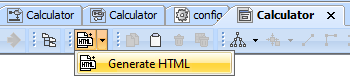 Image Removed Image Removed
The Generate HTML button on the UI diagram toolbargenerate HTML files for each ImageSwitcher element before viewing them. To learn more about generating HTML files, refer to Auto-generating HTML files. The Start Web Server property option in the Specification window of <<Simulation Config>> must be selected true. Otherwise, the Web Server cannot start, and you cannot use the web UI at all. You can click the URL, e.g., http://10.1.1.64:8080/, on the simulation Console pane during the simulation to open the web UI. | 