Teamwork Cloud and Teamwork Cloud AdminWebhooks' ImprovementsIn 2022x Refresh2 we implemented the ability to conveniently manage webhooks in Teamwork Cloud Admin. A simple UI wizard will guide you through the creation of resource or element-level (NEW!) webhooks to listen to changes made in the Teamwork Cloud repository.
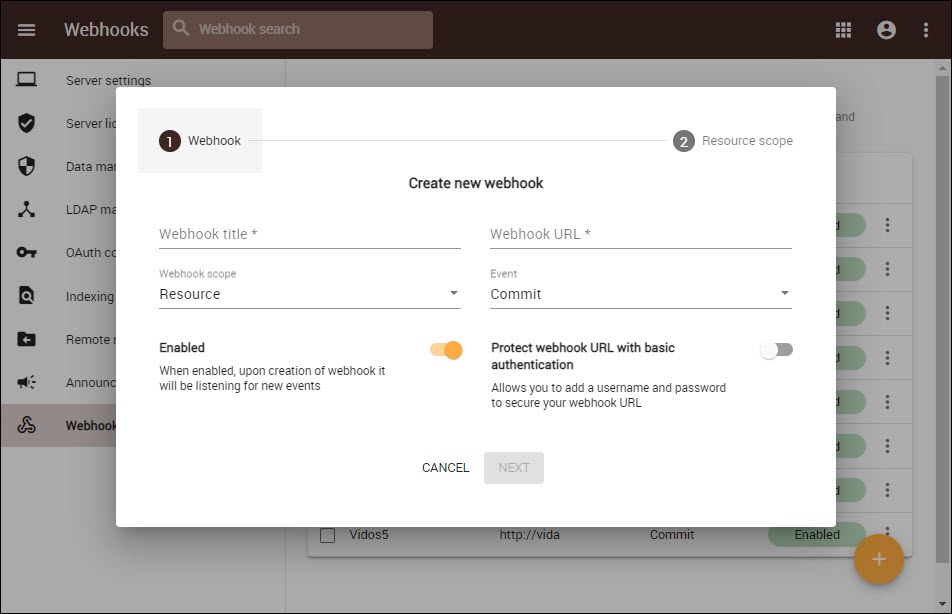
Setting a webhook in Teamwork Cloud Admin.Password Lifecycle ManagementPassword requirements management in the Teamwork Cloud Admin Settings application was enhanced with added password lifecycle management options. In addition to the complexity requirements, you can now specify internal users’ password lifecycle requirements in the Lifecycle tab.
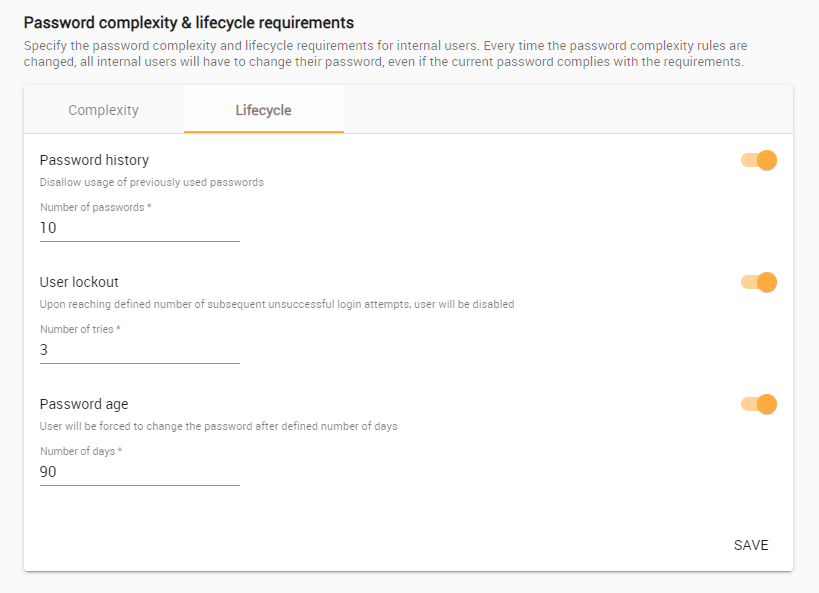
Password complexity & lifecycle requirements with the new Lifecycle tab.
Multi-Actions in Resources ApplicationWe implemented a multi-action capability in the Resources application. Once enabled through the Actions menu  in the App bar, this capability allows you to select multiple resources or categories to delete or move. in the App bar, this capability allows you to select multiple resources or categories to delete or move. 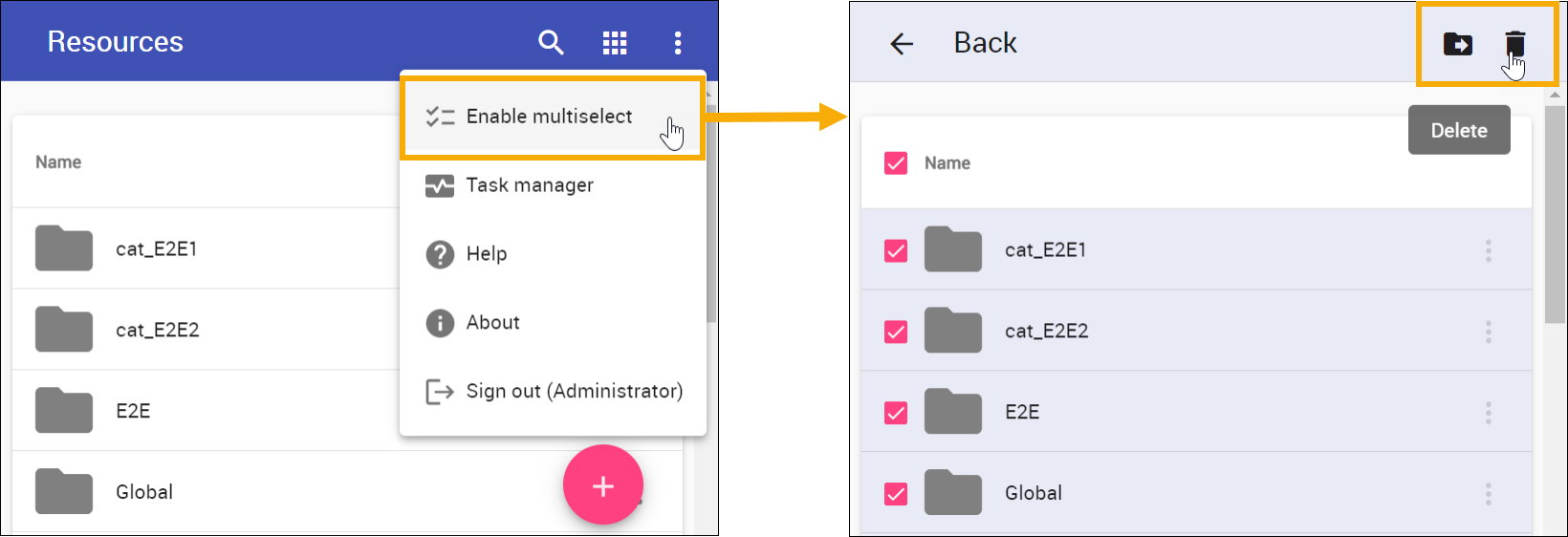
Enabling multiselect and selecting multiple categories to move or delete in the Resources app.Cross-Cluster Synchronization ImprovementsStarting with 2022x Refresh2, we allow further synchronization of previously synchronized resources. This change was inspired by certain business cases where third parties willing to interchange Teamwork Cloud projects often deny connections to each other’s networks (as represented by the first topology in the image). With the improvement, it is possible to set up a Teamwork Cloud instance in a somewhat neutral environment (such as AWS Cloud), where all involved parties can synchronize the resources they want to share. To check out a resource, it is simply necessary to synchronize it further from a neutral environment to a company’s specific network. 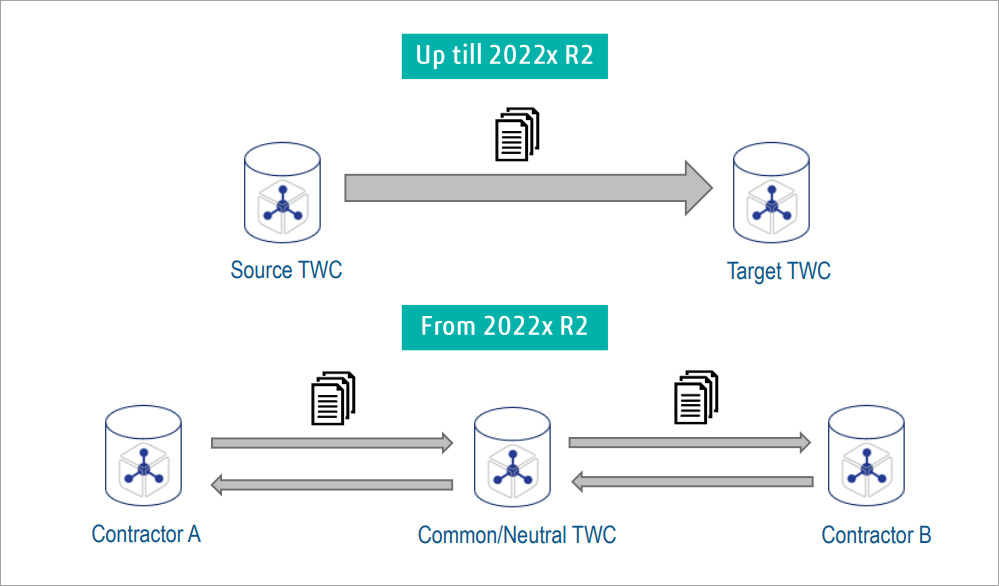
Other fixes/improvements- Directly assigned and inherited access levels are now displayed in reports.
- Data markings are now displayed in the Resources application. You can also see a preview of the data marking you are creating.
- The UI of the task manager was improved and now shows why a process or an activity had errors.
- A new role , Security Audit Reports Manager , was added, which allows access to the Reports application.
- Search results in the Resources application are now sorted in a more user-friendly way.
Back to top |