
...
This feature not only facilitates management of ordinary relationships between elements, but also allows for a faster creation of traceability links between elements, for example, between requirements and the architecture or requirements and test cases. Such an improvement saves huge amounts of time in comparison to linking elements in diagrams. It significantly increases applicability and usability of matrices.
To create a new relationship between model elements in the dependency matrix, do one of the following
...
Double-click the cell. If only one relationship type and direction is available, the relationship is created instantly. If several relationship types or directions are available, the shortcut menu opens.
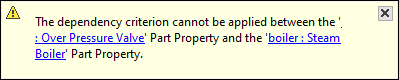
Warning If you see the warning stating that the dependency criterion cannot be applied, it means that:
- row/column elements cannot be modified.
- relations between the row/column element types cannot be created according to the:
- constraints from the UML Meta Model (modeling tool > Help).
- DSL relationship rules.
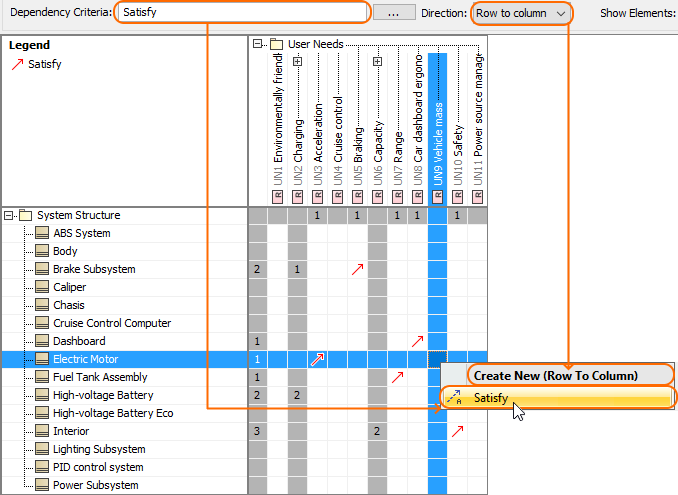
- Right-click the cell. In the shortcut menu, under Create New (Row To Column) or Create New (Column To Row), select a relationship type you need to create.
...
| Note |
|---|
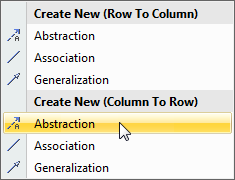
If you have specified to display in the matrix, relationships with both directions, the shortcut menu of the cell will look like the one in the following figure.
Thus make sure you have selected a relationship type with relevant direction. |
...
To create multiple relationships between model elements simultaneously in the dependency matrix
...