Versions Compared

Key

  • This line was added.
  • This line was removed.
  • Formatting was changed.
Content layer
id795872164
Content column
id795872166
Content block
id795872165
Excerpt

To create a basic flow


  1. Open the Use Case Specification window and click the Use Case Scenario Sketch property group.
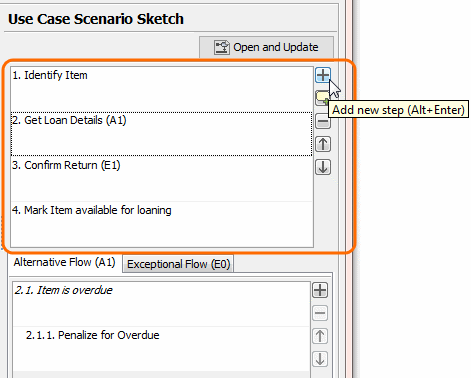
  2. In the Basic Flow area, click the Add new step button 
Image Removed
  1. Image Added or press Alt+ENTER and type a name of the basic flow step. Repeat this action for each basic flow step you need to create.

Image Modified

Steps of the basic flow are numbered automatically. Use the Up

Image Removed

Image Addedand Down

Image Removed

Image Added buttons to change the order of steps. In the activity diagram, steps are represented according to their order in the Use Case scenario.

Content block
id795872163

Related pages