
...
You can draw these diagrams using the same ER diagram simply by suppressing both the primary key and column compartments on all the entities. A more convenient way to do this is to select all the entities (hold down ALT and click all relevant entities) and use the Suppress All button on the Shape Editing toolbar of the diagram.
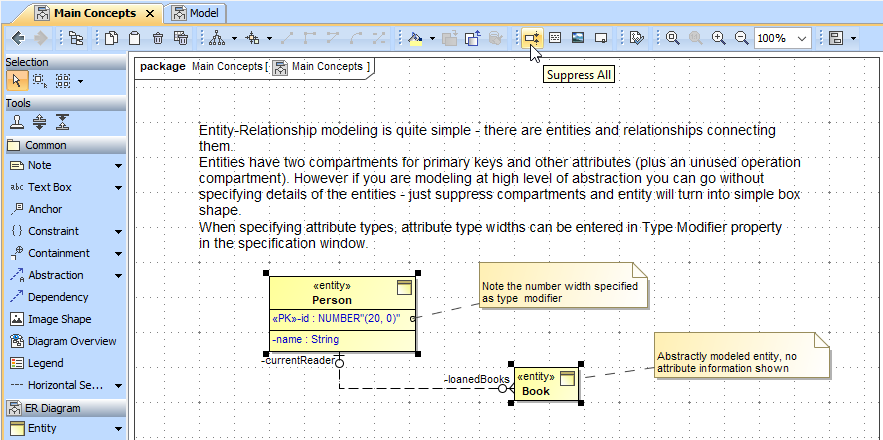
Multi-selecting all entities by pressing ALT and clicking all relevant entities.
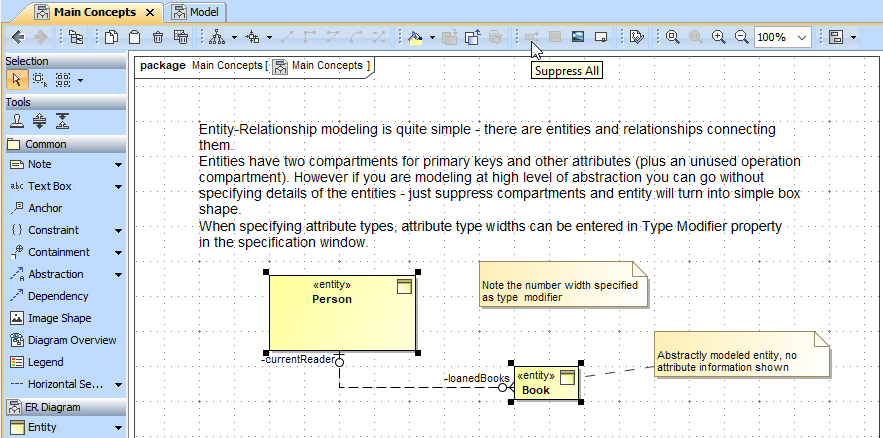
Using the Suppress All button on the Shape Editing toolbar of the diagram to only show entities as boxes (without structure) and the relationships between them.
...