
Entity keys are marked by applying the corresponding stereotype («PrimaryKey», «AlternativeKey») on the necessary column(s). This can be done from the column's shortcut menu.
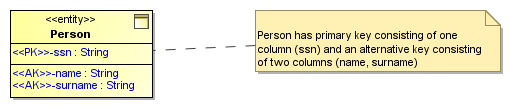
Example of key usage in an ER diagram.
...
In rare cases, you may need to specify several alternative keys on the same entry. In this case, you will fill the “Id” tag field of the key column with key identifier(s). Columns with the same Id are considered to belong to the same key. Overlapping alternative keys can be specified in the same manner (a column can have several ids specified).
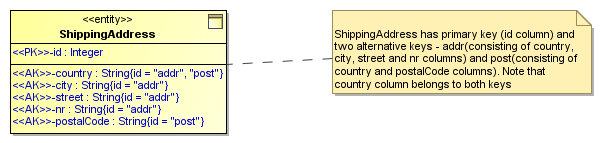
Example of multiple overlapping alternative keys in ER diagram.
...
Inversion entries are specified analogously. An inversion entry is a non-unique (combination of) column(s), frequently used to search for the entity. Marking columns as IE provides hints to database implementers about which indexes to specify.
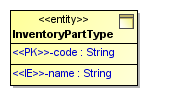
Example of inversion entry in ER diagram.
...