Cameo Collaborator for Teamwork Cloud Magic Collaboration Studio allows you to subscribe to email notifications about all new and modified comments in a Cameo Collaborator document. Once subscribed, you get email notifications as soon as: - A new comment is created
- A comment has a new reply
- A comment is edited (for example, when a subject or priority is changed)
- A comment's status changes (resolved or unresolved)
As you see in the example below, an email notification displays the entire conversation thread. Also, you can navigate to the commented item in a document right from the email notification. | Tip |
|---|
| title | Customizing email templates |
|---|
| Email templates are customizable and can be modified according to your needs. You can find them in the Web_App_Platform_installation_directory\apache-tomcat\shared\conf\data\collaborator\email directory. |
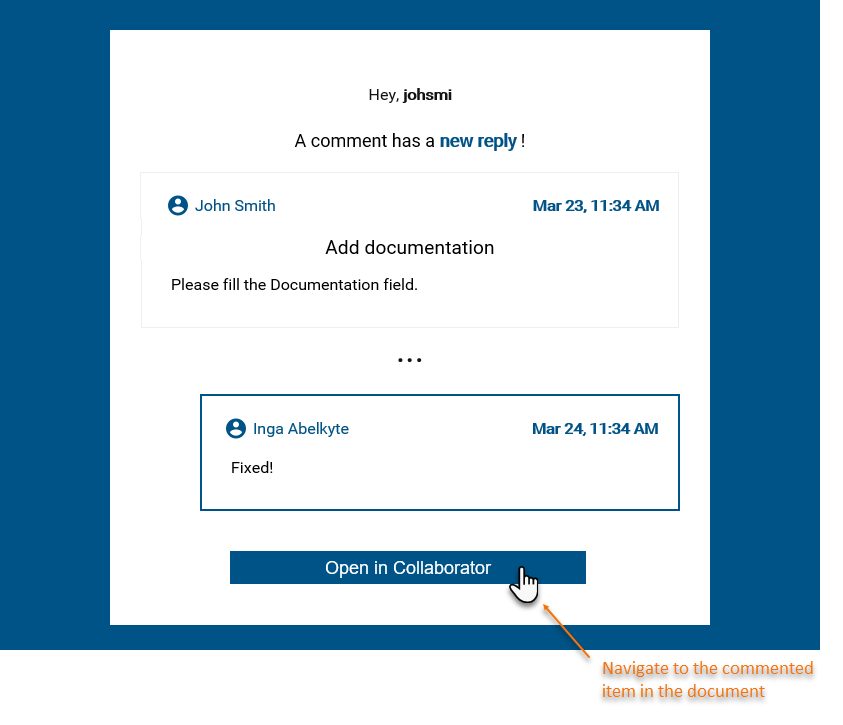
An example of an email notification.You can subscribe to or unsubscribe from email notifications about comment changes in a certain document as described below.
To subscribe to/unsubscribe from email notifications in a Cameo Collaborator document
- Open the Cameo Collaborator document that you want to get email notifications about.
- Click
 on the right side of the app bar and select one of the following: on the right side of the app bar and select one of the following:- Subscribe to email notifications - to subscribe to email notifications.
- Unsubscribe from email notifications - to unsubscribe from email notifications.
To subscribe to/unsubscribe from email notifications in the Resources application
- Open the Resources application and find the Cameo Collaborator document you want to get email notifications about.
- Click next to the document and select one of the following:
- Subscribe to email notifications - to subscribe to email notifications.
- Unsubscribe - to unsubscribe from email notifications.
Depending on your selection, you will start or stop getting email notifications about all new and edited comments in the document.
| Note |
|---|
| title | Configuring to get email notifications |
|---|
| If you fail to receive email notifications after subscribing, contact your system administrator and make sure that: |
| 