This section describes how to uninstall Magic Collaboration Studio and Cassandra using uninstallation files. Magic Collaboration Studio uninstall file is located in the application installation folder (<install_root>/UninstallerData/Uninstall). Using the uninstall file for all servicesOn LinuxTo uninstall Magic Collaboration Studio using the uninstall file
Run the uninstall file to uninstall Magic Collaboration Studio and Magic Collaboration Studio Teamwork Cloud Admin. | Code Block |
|---|
| language | bash |
|---|
| theme | DJango |
|---|
| linenumbers | true |
|---|
| sudo <install_root>/UninstallerData/Uninstall |
Press Enter to continue.
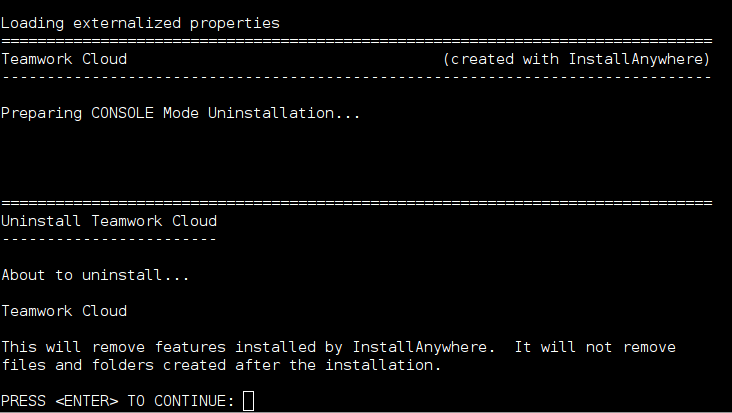
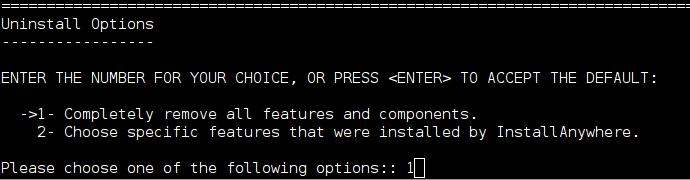
Type either "1" to completely uninstall Magic Collaboration Studio and Magic Collaboration Studio Teamwork Cloud Admin or "2" to uninstall selected features and follow the instructions. A message informing that Magic Collaboration Studio and Magic Collaboration Studio Teamwork Cloud Admin uninstallation is complete will appear.
Managing separate services To uninstall Magic Collaboration Studio, Web Application Platform, and Cassandra
- Stop Magic Collaboration Studio and WebApp Server.
- Remove the services.
- Delete the directory in which Magic Collaboration Studio is installed.
- Uninstall Cassandra.
If you need to remove only selected services, remove them using the following commands: Remove Magic Collaboration Studio service using the following script: | Code Block |
|---|
| language | bash |
|---|
| theme | DJango |
|---|
| linenumbers | true |
|---|
| sudo <install_root>/scripts/linux/uninstallservice.sh |
Remove WebApp service using the following script: | Code Block |
|---|
| language | bash |
|---|
| theme | DJango |
|---|
| linenumbers | true |
|---|
| sudo <install_root>/WebAppPlatform/bin/service.sh remove |
Remove Zookeeper service using the following script: | Code Block |
|---|
| language | bash |
|---|
| theme | DJango |
|---|
| linenumbers | true |
|---|
| sudo <install_root>/WebAppPlatform/zookeeper/bin/zkService.sh remove |
To uninstall Cassandra
Delete the directory in which Magic Collaboration Studio is installed (<install_root>). Uninstall Cassandra using the following commands: | Code Block |
|---|
| language | bash |
|---|
| theme | DJango |
|---|
| linenumbers | true |
|---|
| sudo service cassandra stop
sudo yum remove cassandra |
On WindowsTo uninstall Magic Collaboration Studio using the uninstall file
Stop Magic Collaboration Studio, AuthServer, and WebApp services from the Services window. Run the uninstall file, located at <install_root>/UninstallerData/Uninstall.exe to uninstall Magic Collaboration Studio. The Uninstall Magic Collaboration Studio dialog will open. 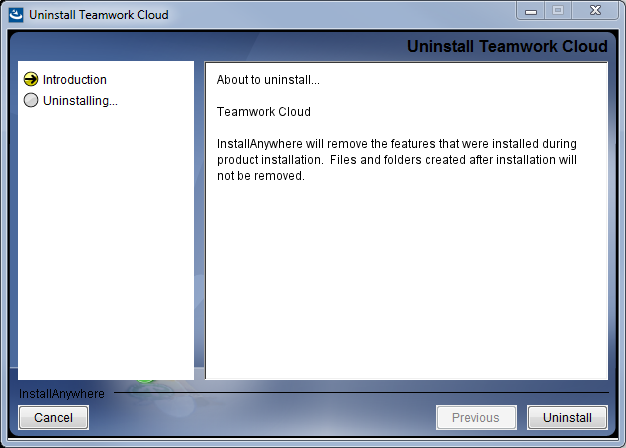
Click  . Magic Collaboration Studio will uninstall itself. The dialog will close once the uninstallation is complete. . Magic Collaboration Studio will uninstall itself. The dialog will close once the uninstallation is complete.
| 