To open DataHub Explorer
- Create a new MagicDraw® project or open an existing project.
- From the MagicDraw main menu, click Tools > DataHub > DataHub Explorer. The DataHub Explorer tab opens.
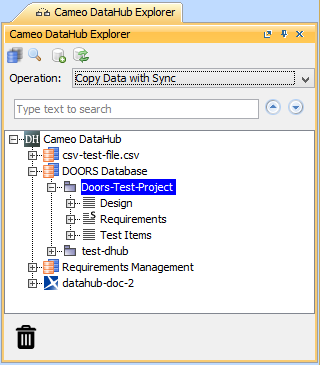 DataHub Explorer DataHub Explorer
| Note |
|---|
| - Nodes under particular drivers in DataHub Explorer also represent nodes in the applications belonging to the drivers.
- If a driver is correctly started, the name of the driver will appear in the DataHub Explorer tree. The driver will then connect to data in each of its respective application.
|
|
