
...
| id | 33928155 |
|---|
...
| id | 33928157 |
|---|
...
| id | 33928156 |
|---|
This DataHub operation supports copying data between CSV repository, MagicDraw®, IBM® Rational® DOORS®, and IBM® Rational® DOORS® Next Generation Data Sources. This operation does not synchronize data, so all data changes will not be tracked. You can do this operation by dragging the node from the source to the target.
To copy data using the Copy Data operation
...
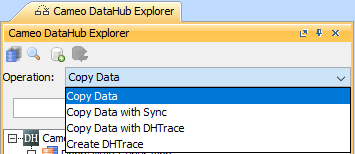
- From the Operation drop-down list in Cameo DataHub Explorer, select Copy Data.
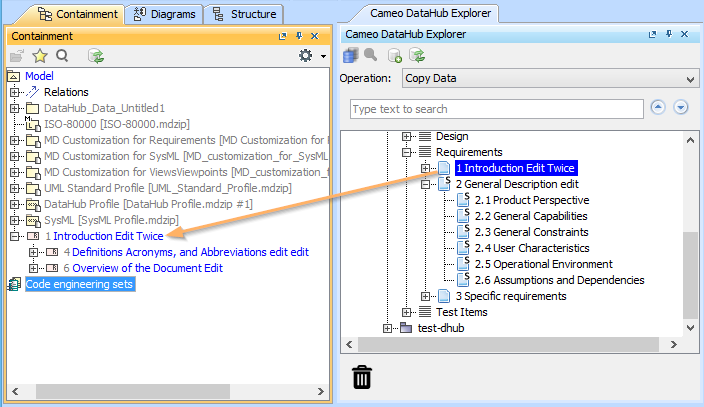
Drag any node from DataHub Explorer to the MagicDraw® Containment area.
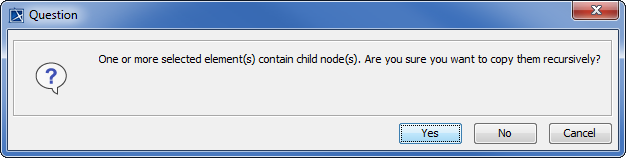
Note title Note If the node contains sub-nodes, a confirmation dialog, asking you whether you want to recursively copy them, appears. Click Yes to copy all child nodes recursively, or No to copy only the top-level nodes.
- The Copy Data dialog opens to allow you to map source objects to target objects and to map source attributes to target attributes to copy the data.
| Note | ||
|---|---|---|
| ||
The Copy Data operation does not create any DHLink. When either the source or target objects change, the changes are not updated, and the synchronization option is unavailable. Content block | | id | 33928153
Related page