After applying the TWCloud Teamwork Cloud license and starting Teamwork Cloud (TWCloud), you can log into Teamwork Cloud Admin (TWCloud Admin). Signing in to TWCloud Teamwork Cloud AdminTo sign in to TWCloud Teamwork Cloud Admin
In an internet browser, go to http(s)://<server_address>:<port>/webapp. For example, if the machine IP is 10.1.1.123 and the default port is used, the URL will be https://10.1.1.123:8443/webapp. | Info |
|---|
The default port is 8443. |
When the authentication page opens, enter your username and password to sign in. | Info |
|---|
The default credentials are Administrator/Administrator. |
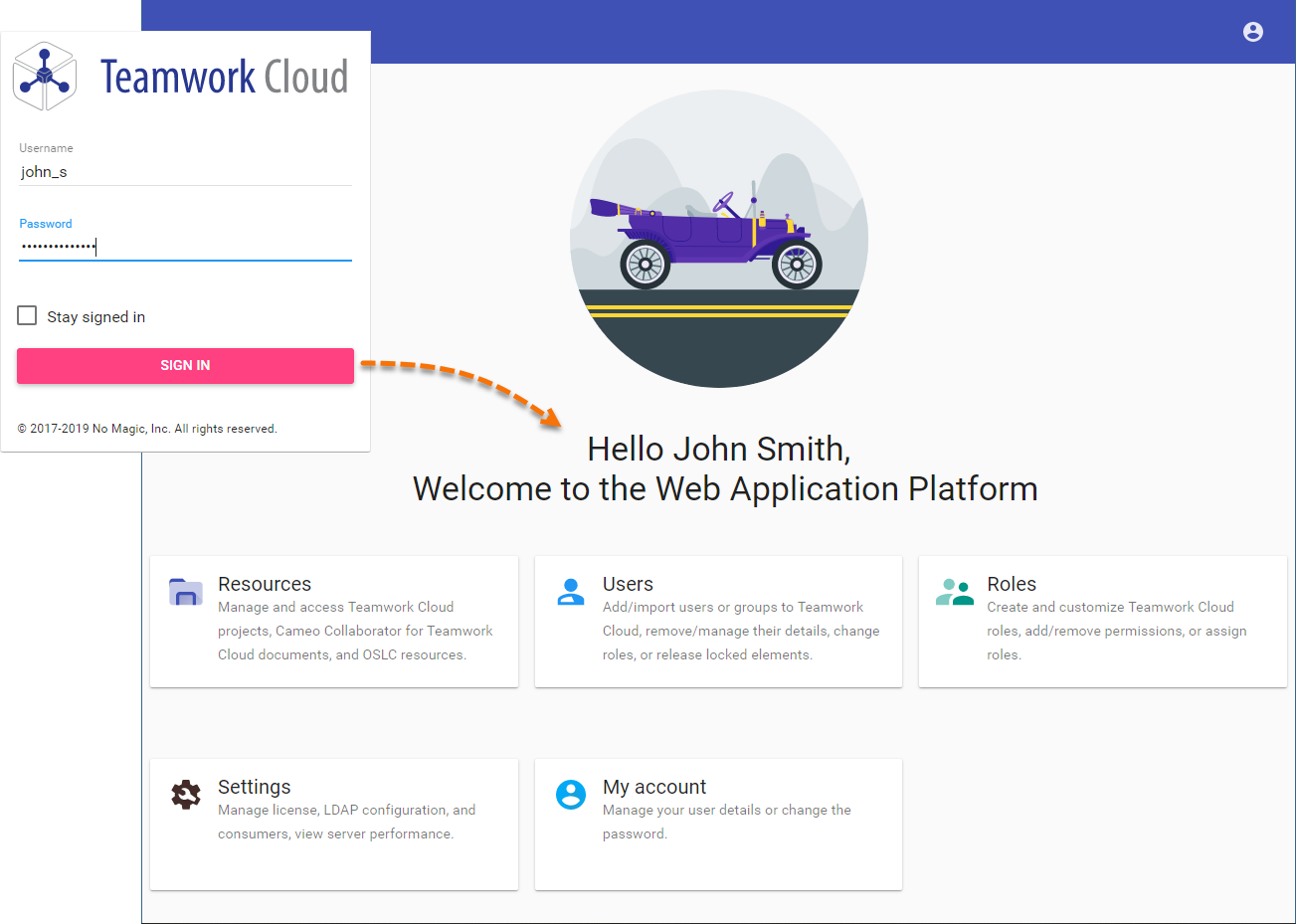 Image Modified Image Modified
After you sign in you will be directed to the main Web Application Platform page (https://10.1.1.123:8443/webapp)
Once you are logged in, you will be redirected to the landing page depending on your role/ permissions. To navigate in the TWCloud Admin environment Teamwork Cloud Admin environment use the app bar. Depending on their roles and permissions, some users may not be able to access some specific content in the TWCloud Teamwork Cloud system or view its details. | Note |
|---|
The first page that opens after successful login varies according to the user role or their latest activity in the TWCloud Teamwork Cloud Admin. |
Signing out of TWCloud Teamwork Cloud AdminTo sign out of TWCloud of Teamwork Cloud Admin
- In the top right corner click
 button and select Sign out to sign out of the current user account. button and select Sign out to sign out of the current user account.
| Info |
|---|
| title | List of applications URL |
|---|
| This list provides sample URLs for all TWCloud Teamwork Cloud Admin applications if the machine IP is is 10.1.1.123 and the default port is used: If you use one of these URLs, you will be redirected to that exact application. In case you enter the wrong address you will be redirected to the main Web Application Platform page. |
| 