The Type Selection Mode turns on the automatic port and part type selection. When the function is turned on: - On a part creation, the Select Type dialog appears. The same is valid when creating ports.
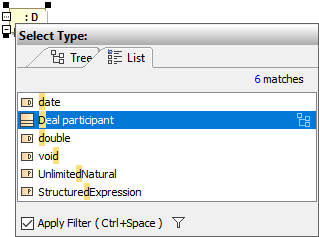 Image Modified Image Modified If a part does not have a specified type, then a new type for the part will be created on a nested port creation. A type for the new port will be created, too. If a part does not have a name, type the name on the part shape on the diagram and the type will be created automatically. The typed name will be the name of the part type (NOTE: that part will be without a name).
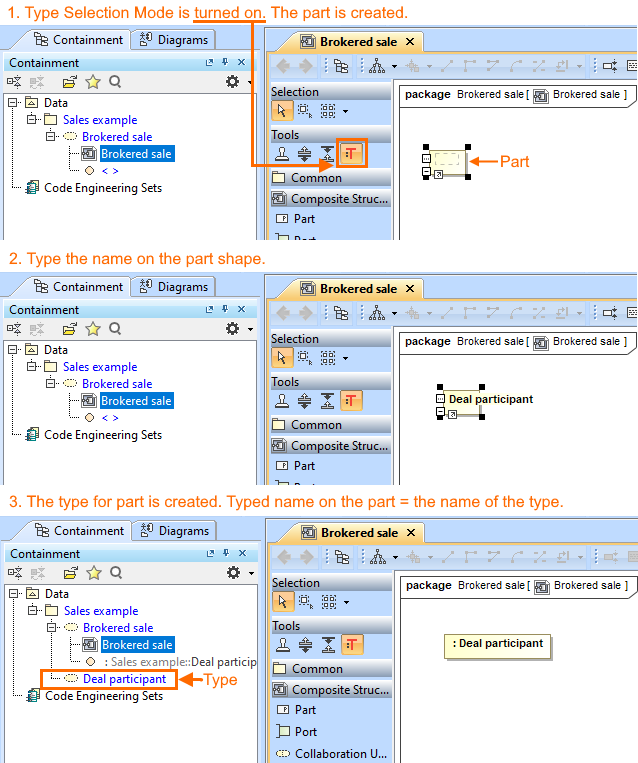 Image Modified Image Modified
To turn on the Type Selection Mode
On the Composite Structure, Class, Component, or Package diagrams palette, click
| 
