
...
| id | 1247079753 |
|---|
...
| id | 1247079756 |
|---|
...
| id | 1247079755 |
|---|
The functionality of synchronization has been additionally simplified with the use of the Define Target Type from Attribute Value option. The synchronization does not limit only to a simple type-to type-mapping and attribute-to-attribute mapping but also a target node type can be defined dynamically according to a specified attribute value.
To copy data and define a target node type from an attribute value
...
- From the Operation drop-down list in DataHub Explorer, select one of the DataHub operations to copy data. The Copy Data with Sync dialog (depending on the operation you have selected) opens.
- From the Mapping Mode option, select Group Type Mapping.
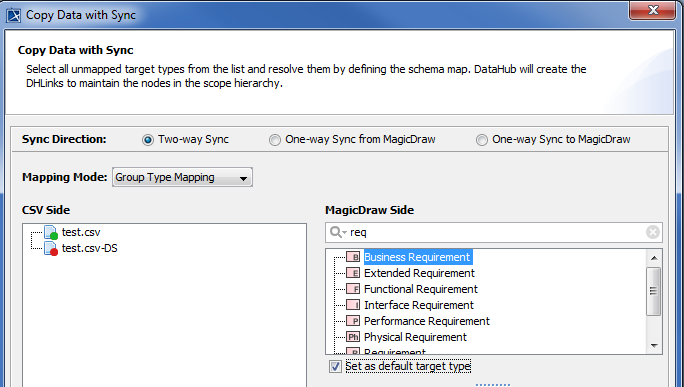
- Select a source node type to start mapping.
- Select the Define Target Type from Attribute Value check box.
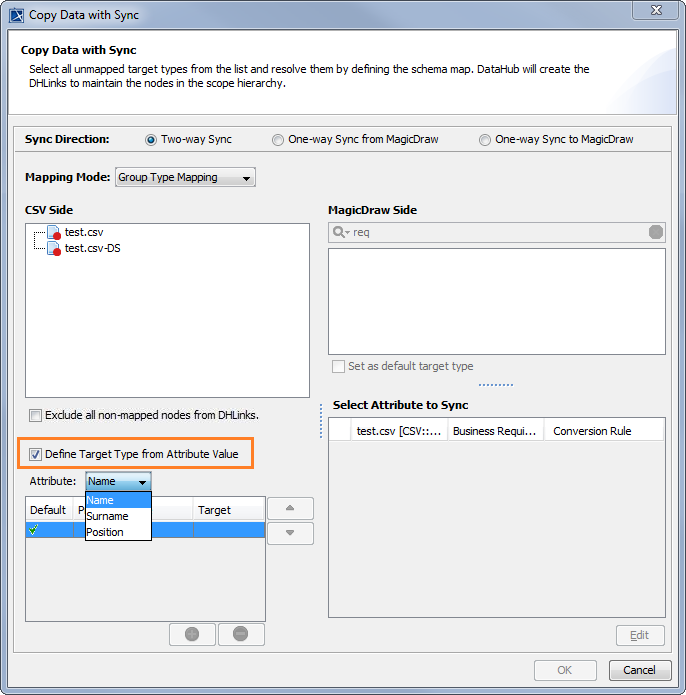
- From the Attribute drop-down list, choose an attribute to define a target node type.
Specify the attribute value to do the mapping.
Info title Information - If the attribute is Enumeration, you can select a value from the Value drop-down list for each attribute.
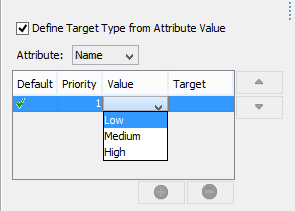
- If the attribute is a simple data type, you can type any expected value in the Value box.
- If the attribute is Enumeration, you can select a value from the Value drop-down list for each attribute.
- From the target type box on the right-hand side of the source type box, choose a target node type for that value.
- Continue mapping the attributes.
- If you have more values for mapping, click
 to enter more values for mapping.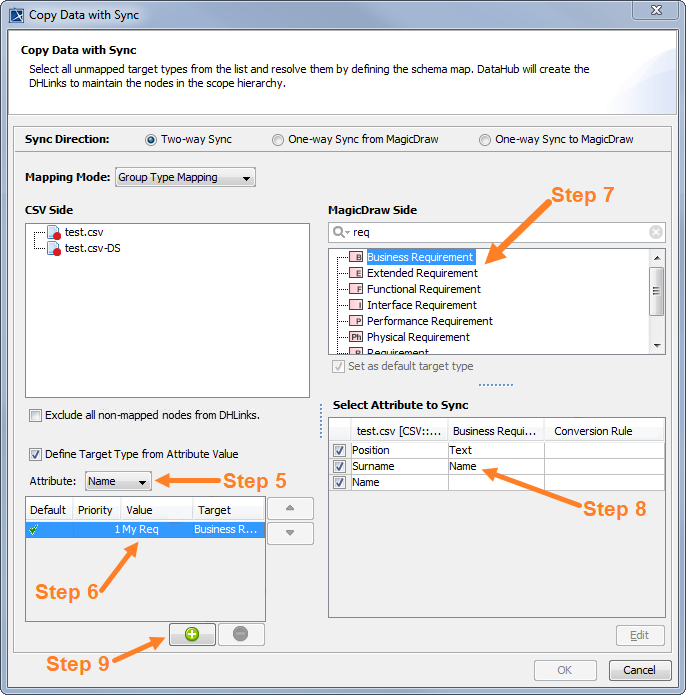
- Repeat Steps 5 to 9 to map each attribute value.
- When you finish mapping each attribute value, click OK to start copying.
| Note | ||
|---|---|---|
| ||
Content block | | id | 1247079751
Related page