
The units of structural features (such as Value Properties, Flow Properties, Constraint Parameters, etc.) that are connected through a Binding Connector can be automatically converted. The units are converted only if both sides have a compatible set of units of the same quantity and kind. If the conversion fails due to incompatible units, the values are mirrored , the same as with the Auto Convert Units option disabled.
| Widget Connector | ||||||
|---|---|---|---|---|---|---|
|
The units can be loaded through the ISO 80000 library and ISO 80000 extension. To learn more about how to load and apply units, refer to Using Units.
Unit conversion is performed according to the SysML extension QUDV. You can also create your own units or whole library based on the QUDV standard. To learn more about the QUDV library, refer to the QUDV library.
The supported unit types in the QUDV library include:
...
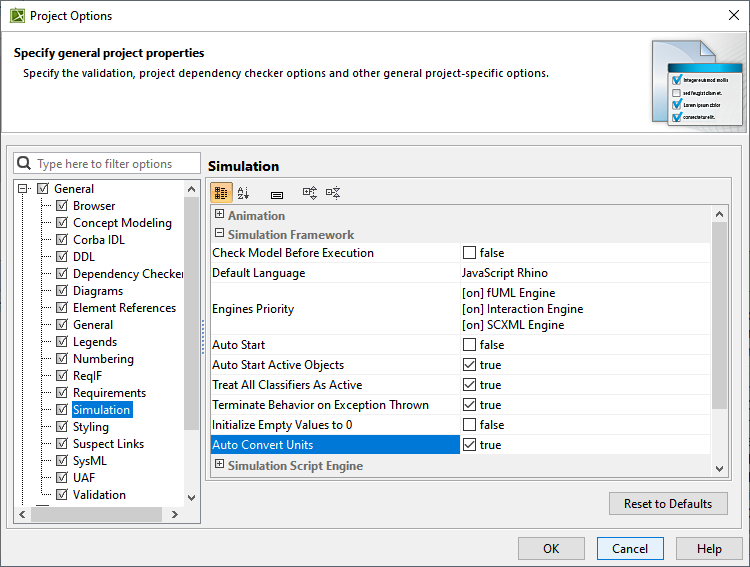
To enable or disable the Auto Convert Units option in the Project Options dialog
...
- In the Project Options dialog, set the Auto Convert Units property value to true to enable the functionality or false to disable the functionality.
To enable or disable the Auto Convert Units option in the Simulation Configuration Specification dialog
...