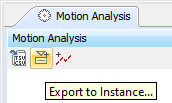
Cameo Simulation Toolkit Magic Model Analyst also allows you to export plots data in a Time series chart to an Instance model. The model for exported plots data in the simulation profile comprises of DataSet and Data Classes. Whenever you export plots data to an instance model, Cameo Simulation Toolkit Magic Model Analyst will create an InstanceSpecification of a DataSet Class. The slot of a data property will contain a list of InstanceSpecifications of the Data Class. The first instance on the list is an InstanceSpecification containing the time values while the second one is an InstanceSpecification containing the values that appear on the vertical axis of the first plot. If a Time series chart has more than one plot, the third InstanceSpecification on the list will be an InstanceSpecification containing the values of the second plot and so on. To export plots data to an instance model
Click the Export to Instance toolbar button of the Time series chart's panel whose values you want to export. The Element Selection dialog will open. - Select a package that will own the instance model you want to create.
- Click the OK button. Cameo Simulation Toolkit Magic Model Analyst will create the instance model containing the plots data in a Time Series Chart as shown in the following figure
 Instance Model Containing Plots Data in a Time Series Chart Instance Model Containing Plots Data in a Time Series Chart The instance model containing the plots data in a Time series chart.
To auto-save plot values into model on every simulation run
- Do one of the following
- Double-click the Time series chart.
- Right-click the Time series chart and select Specification.
The Specification window will open as follows 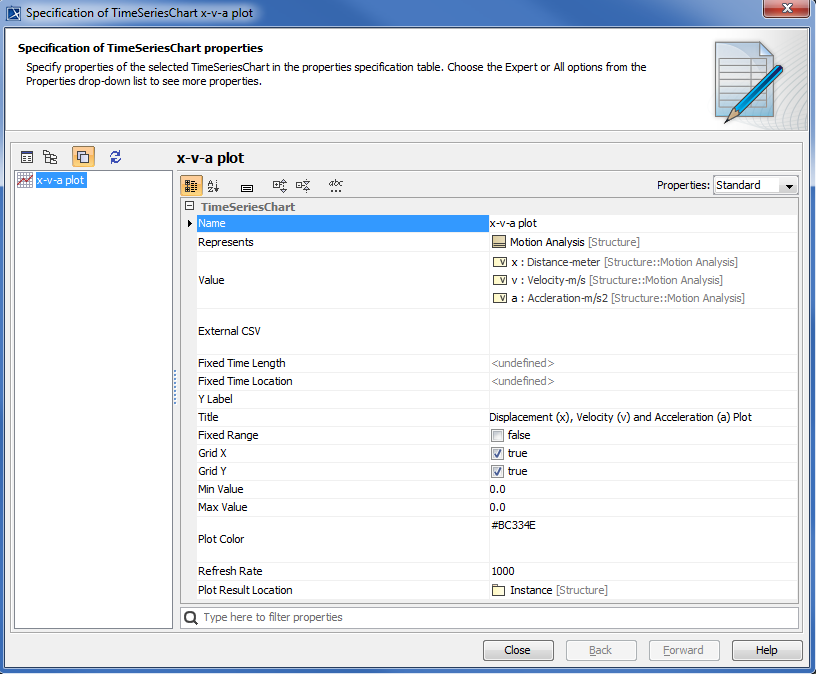 Auto-save plot values into model on every simulation run Auto-save plot values into model on every simulation run
2. Click the  button beside the Plot Result Location property to edit its value. The Plot Result Location property value takes the name of the Instance to save the values, as in the following figure button beside the Plot Result Location property to edit its value. The Plot Result Location property value takes the name of the Instance to save the values, as in the following figure 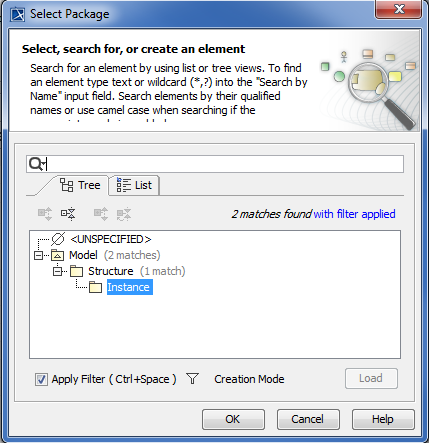 Select Instance to save plot result values Select Instance to save plot result values
3. Start the simulation. When the simulation terminates, the plot values will be written to the Instance specification selected in the previous step, as in the following figure 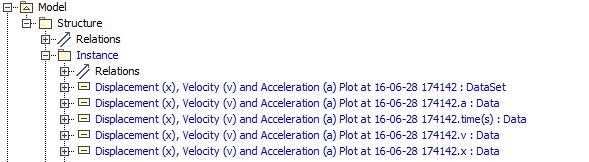 Plot values exported to Instance after simulation termination Plot values exported to Instance after simulation termination
|