If you need a tag value, as defined by using the dialog for specifying criteria, you must create a structured expression tag definition.
To create a structured expression tag definition
- Create a new stereotype.
- Right-click the stereotype and select Create Element > Property to create a new tag definition.
- Open the Specification window of the tag definition and select the Type property. Click the property specification cell and select the StructuredExpression value as a type.
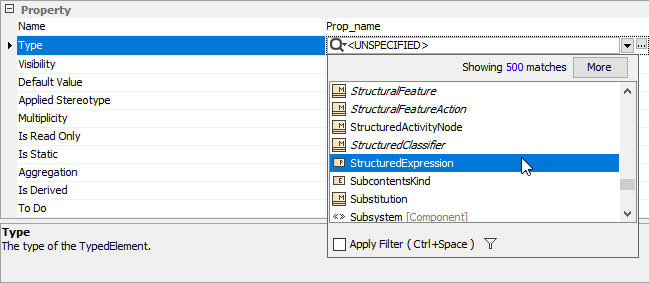
Once the tag definition is created, you can apply the stereotype with this tag definition on an element in your model. Then, in the Specification window of the element, click the Tags property group, select the structured expression tag, and click the Create Value button to define the value.
| Note |
|---|
|
The structured expression tag can also be represented as a regular property in the Specification window and Properties tab of the element. You must then create a customization data for the stereotype with this tag definition. |
