
...
Select the Package(s) you want to prepare data for module.

Tip title Tip To select multiple Packages, hold CTRL while selecting each Package.
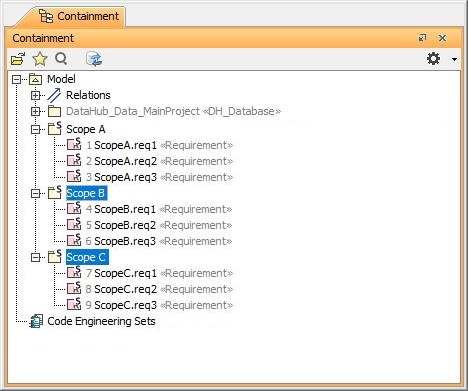
Selecting multiple Packages in the MagicDraw Containment tree.
- From the MagicDraw main menu, click Tools > DataHub > Prepare Data For Module.
- A question dialog appears to ask you to save your work before preparing data for module. Click Yes.

- The Input dialog opens. Type a name for the target module.

- A warning dialog opens to ask you to save, close, and re-open your project to prevent DHLink references from loss. Click OK.

- In the MagicDraw Containment tree, the PreparedDatabase Package is created. Export the newly created package to a new project.

- Save the project and re-open the project to continue working with DataHub.