Log in
No Magic Product Documentation
Spaces
Hit enter to search
Help
Online Help
Keyboard Shortcuts
Feed Builder
What’s new
About Confluence
Log in
Cameo DataHub 19.0 LTR SP3
Edit space details
Scroll Documents
Page tree
Browse pages
Configure
Space tools
View Page
Document toolbox
A
t
tachments (2)
Page History
Page Information
View in Hierarchy
View Source
Export to PDF
Export to Word
Export to HTML
Export to PDF
Pages
…
Cameo DataHub Documentation
User Guide
Getting started
Installation
Uninstallation
Page History
Versions Compared
Old Version
1
changes.mady.by.user
user-52ec1
Saved on
Jan 29, 2018
compared with
New Version
Current
changes.mady.by.user
user-52ec1
Saved on
Oct 31, 2019
View Page History
Key
This line was added.
This line was removed.
Formatting was changed.
...
From the
MagicDraw
®
main menu, click
Help
>
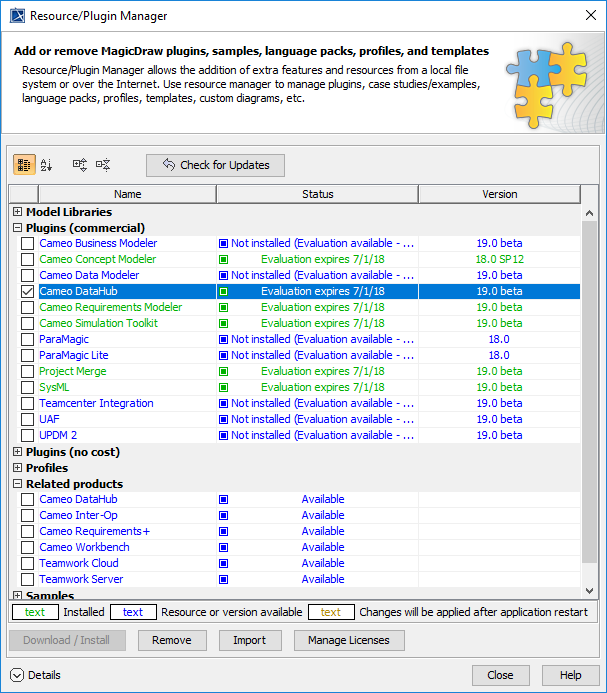
Resource/Plugin Manager
. The
Resource/Plugin Manager
dialog opens.
Under the
Plugins(commercial)
option, select the
Cameo DataHub
check box.
Image Removed
Click
.
Restart
MagicDraw
®
.
...
Overview
Content Tools
{"serverDuration": 53, "requestCorrelationId": "4e300f4db827cb44"}

 ..
..