: | Code Block |
|---|
authentication.certificate.enabled=true |
The next step is to configure which part of the subject DN (distinguished name) will be used as the username (authentication.certificate.username.template), and which part will be displayed in the login screen (authentication.certificate.displayname.template). Both of these values default to using (CN) 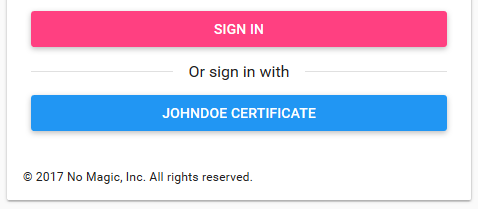 Image Modified Image Modified
| Code Block |
|---|
authentication.certificate.username.template=(CN) |
The template can contain ASCII characters as well as placeholders in parenthesis that are replaced with relative distinguished name (RDN) values from the DN (if the username is constructed from the Subject Distinguished Name) or SAN (if the username is constructed from the Subject Alternative Name). For example, when the subject DN or SAN (of type 4) on the certificate is CN=JohnDoe,O=MyCompany,C=GB: Template: (CN), username: JohnDoe Template: (O)-(CN), username: MyCompany-JohnDoe Template: CERT_(CN), username: CERT_JohnDoe To configure the value displayed in the login button, we must edit | 