Versions Compared

Key

  • This line was added.
  • This line was removed.
  • Formatting was changed.

Once you have successfully migrated your data to to a new version of Teamwork Cloud, you Magic Collaboration Studio you must update the projects in the database as well. A project that is not updated will open in the read-only mode. When you open a project in a modeling tool, the following notification appears.

...

Note
titleImportant
  • To upgrade a project by migrating it, you need the Administer Resources, Edit Resources, Edit Resource Properties, and Read Resources permissions.
  • While a project is being migrated, other users are prevented from any modifications in that project. We highly recommend that the same person migrates all projects.To ensure project integrity, it is recommended that you migrate all dependent projects (projects with its used projects) at once. In this case, you will not need to link used projects manually. You can migrate projects in separate batches; however, before migrating, you should identify projects related via the used project. After migration, used projects will end up as separately embedded projects rather than being correctly linked. Thus, you will need to link them manually.


To migrate server projects automatically

...

  1. Start the modeling tool and log in to the TWCloud server.
  2. On the main menu, click Collaborate > Projects. The Manage projects dialog opens.
  3. Select a project and click Open. A dialog prompting you to update the System/Standard Profiles in the project to allow project editing opens.
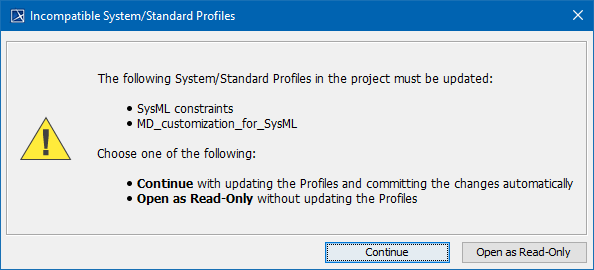


  4. Click Continue. After the System/Standard Profiles are updated, the modeling tool opens a notification showing that the model was successfully updated.

...