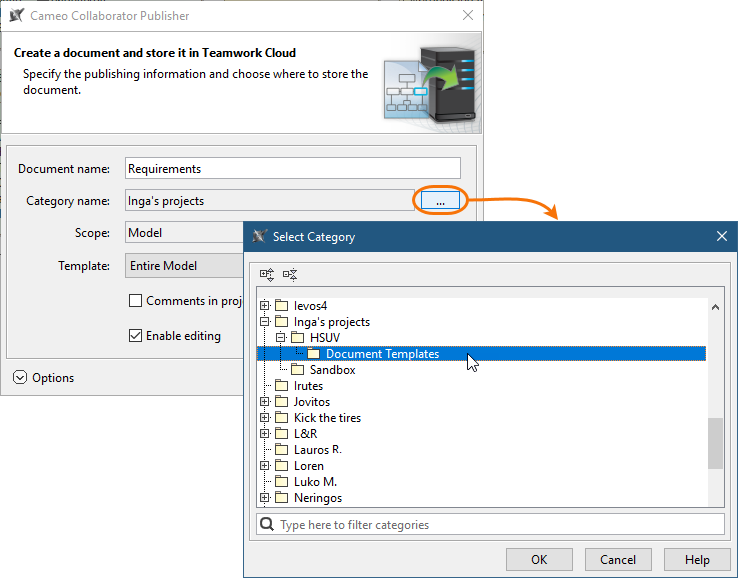
Global Element Usage Indexing and Search (Technology Preview)Cross-Cluster Resource SynchronizationTeamwork Cloud coupled with Elasticsearch engine brings a powerful introduces a major new functionality allowing you to index resources for their element usages within the selected scope of Teamwork Cloud repository and later query these usages through the modeling tool. This enables you to evaluate what impact modifying or deleting certain model elements will have on other models that are using it. Teamwork Cloud Admin Console is now enriched with a section dedicated to configuration, initiation, and management of resource indexes. You can choose what needs to be indexed, where, and how with just a few clicks!
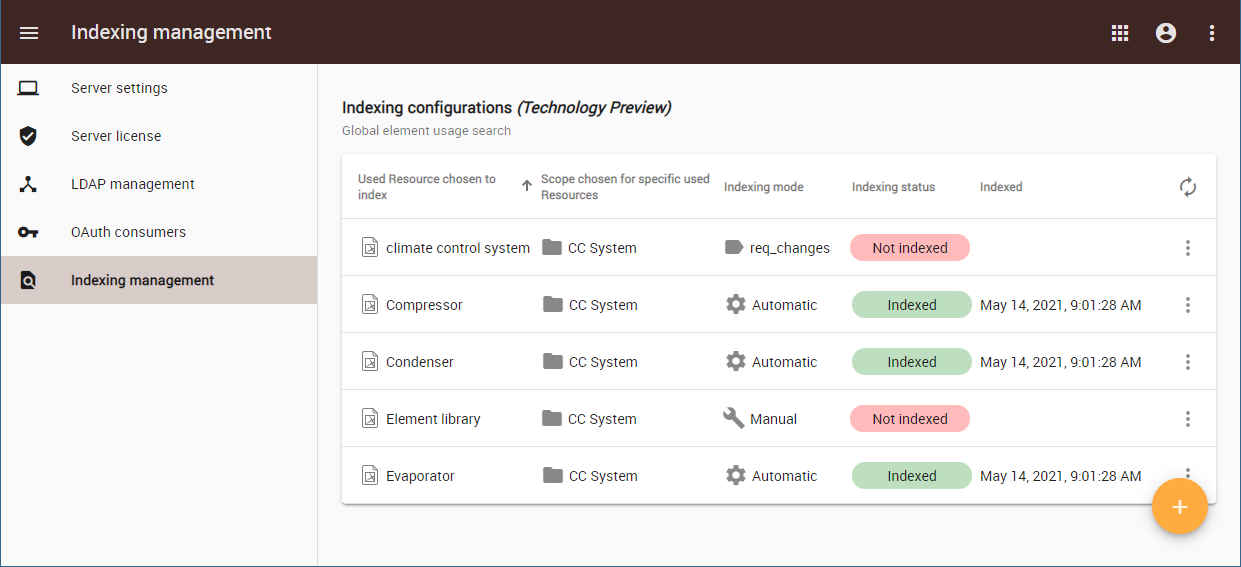 Image Removed Image Removed
The Teamwork Cloud Settings application UI allowing you to create and manage index configurations.Nested CategoriesThe new version of Teamwork Cloud brings an ability to organize your resources in a flexible folder-like manner using nested categories. The hierarchical grouping of categories ensures that your huge repository will not turn into a mess and required resources will be found easier. 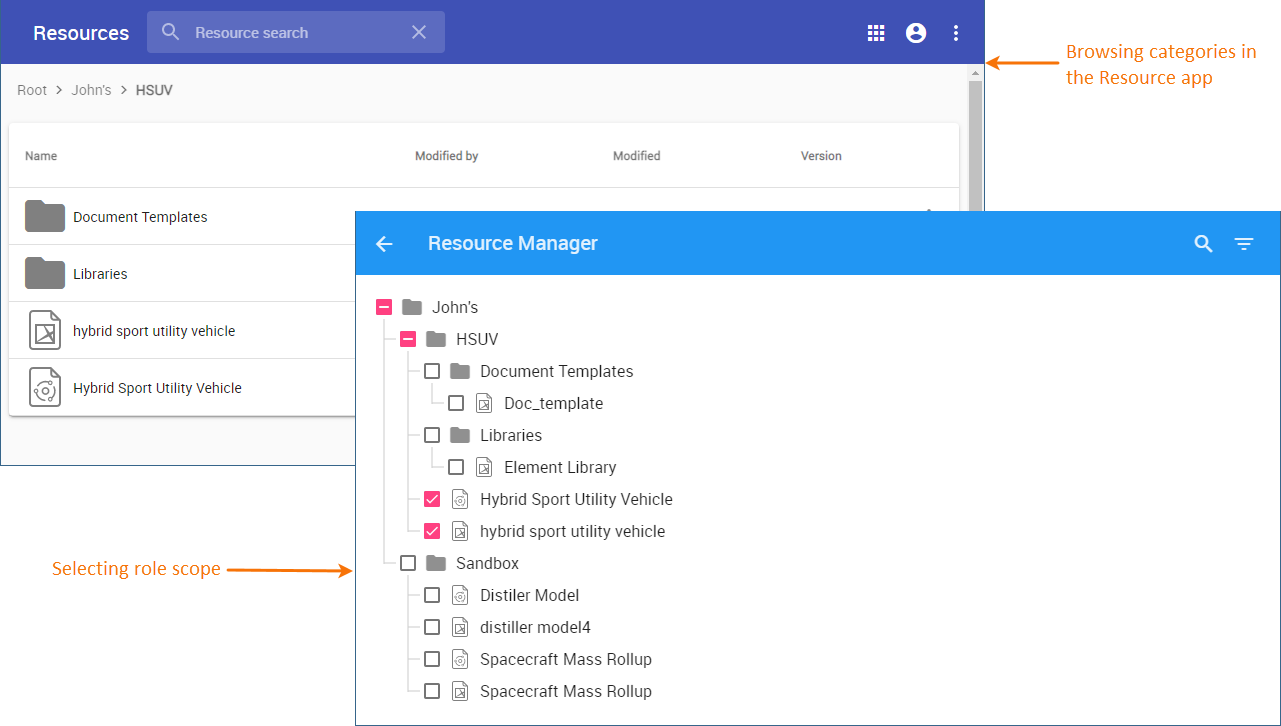 Image Removed Image Removed
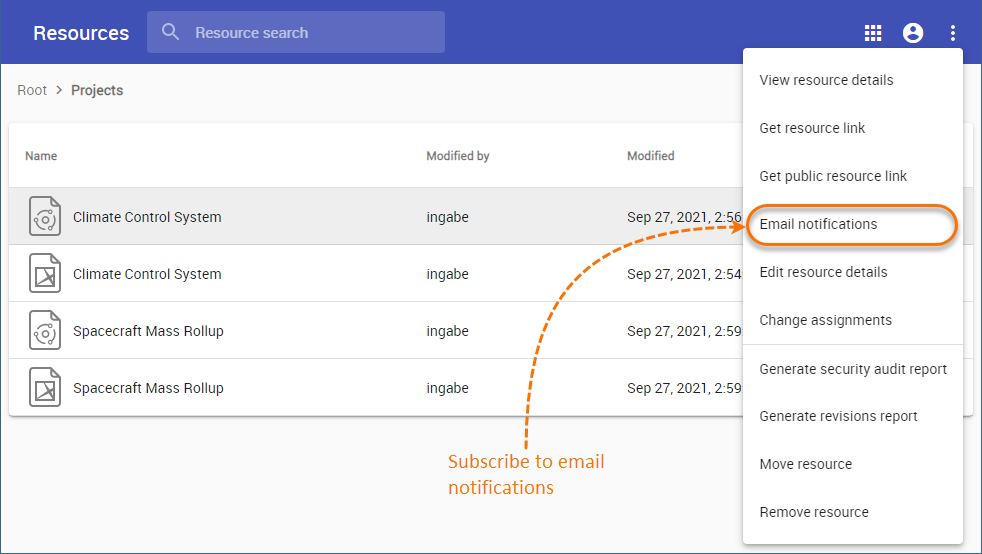
reuse resources from a remote server in a read-only mode. This makes collaboration between multiple disconnected Teamwork Cloud sites possible enabling sharing not only resources but their entire history as well. Synchronize resources between two different Teamwork Cloud servers with just a few clicks and choose whether resources should be synchronized manually, automatically, or when a specific commit tag is used.
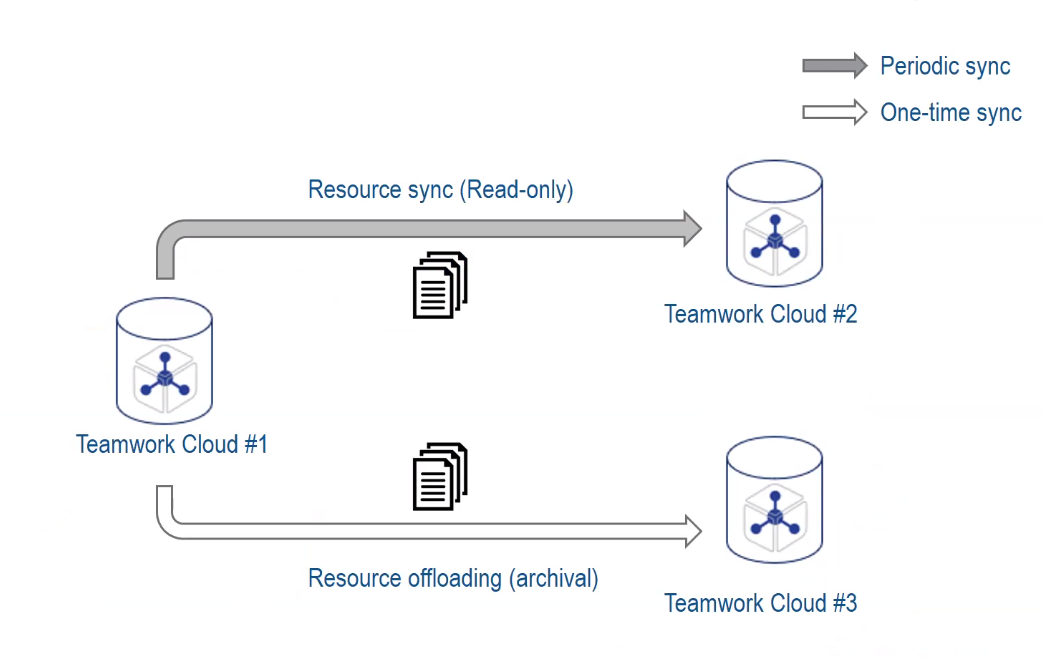 Image Added Image Added
Resource synchronization can be used both to collaborate with distant teams and offload resources to a remote server.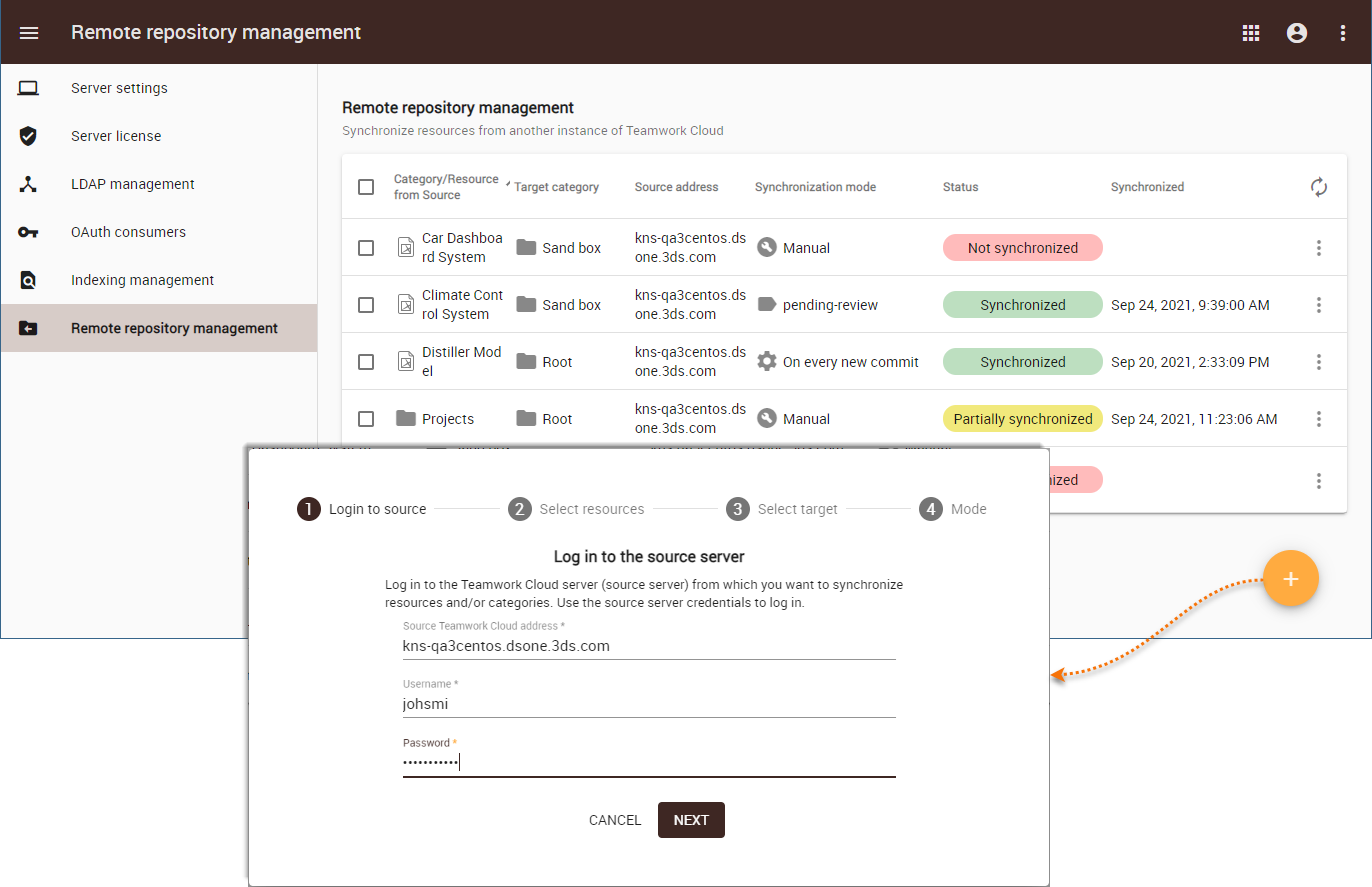 Image Added Image Added
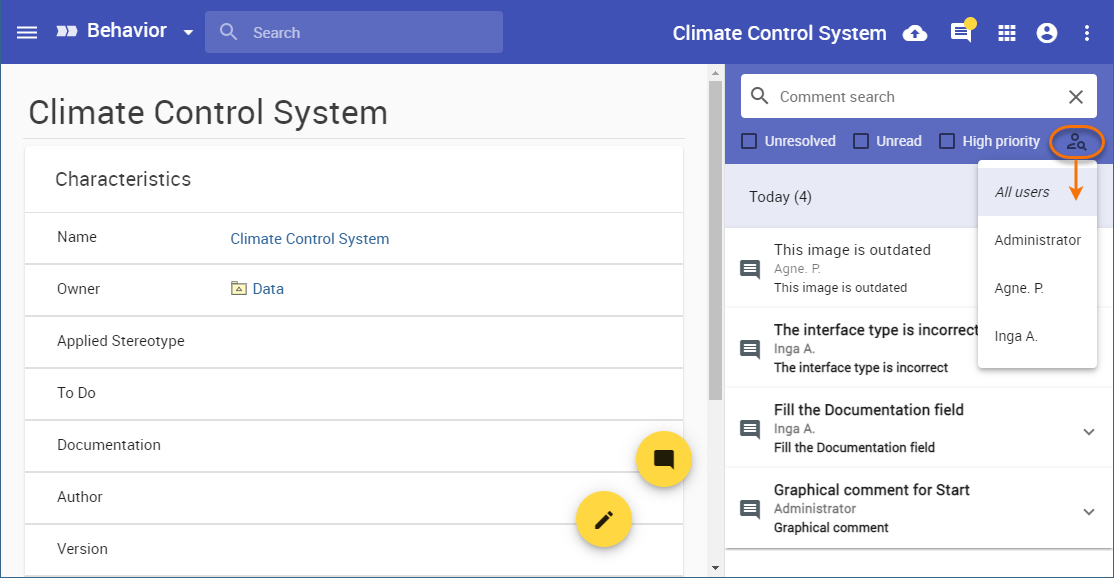
Creating remote resource configurations in the Settings application.Back to top Permission Management ImprovementsFiltering resources with branch-level permissionsThe Users and Roles applications have been improved and now allow you to filter the resources with branch-level permissions when selecting assignments.
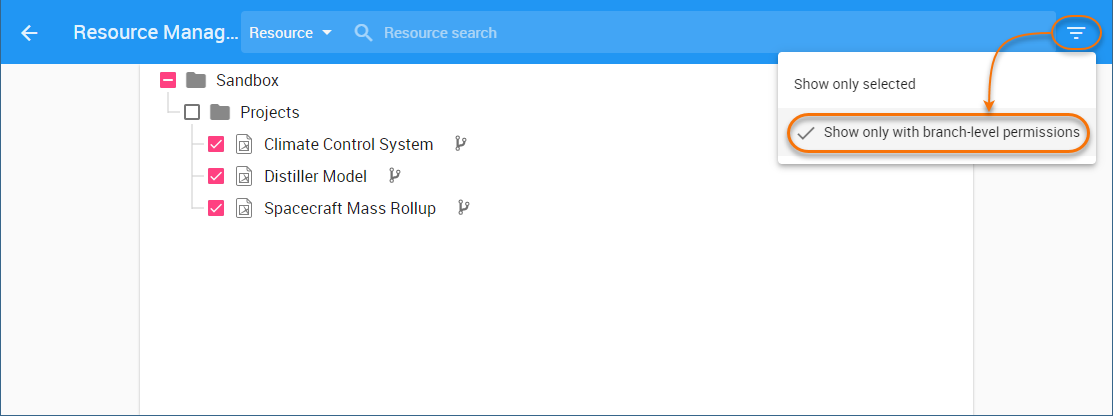 Image Added Image Added
Filtering role assignments with branch-level permissions in the Users application.Managing category-level permissionsIn Teamwork Cloud 2021x Refresh2, managing category-level permissions is a lot more convenient. Use a new action in the Resources application to see and change all category assignments in one place.
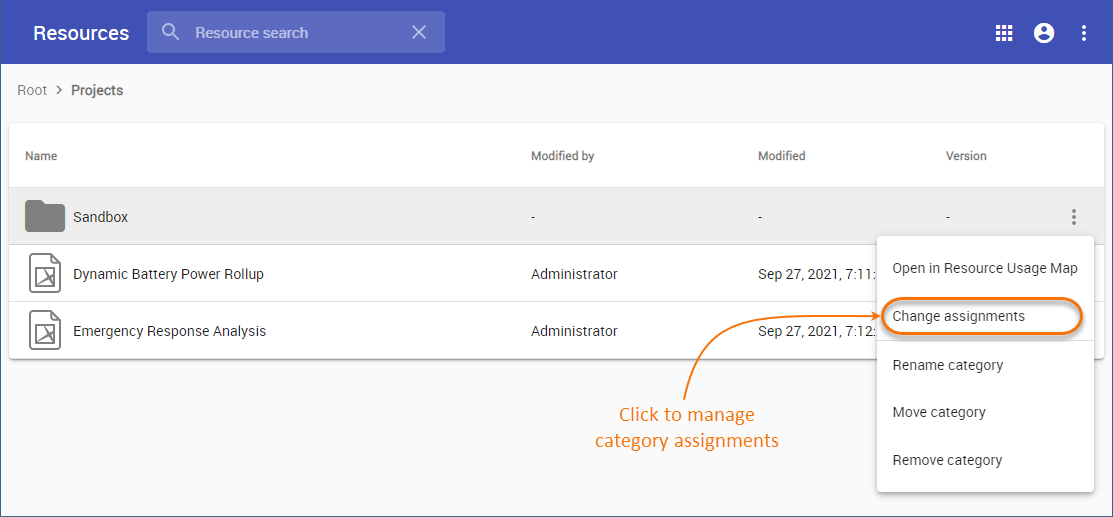 Image Added Image Added
Managing category assignments.Managing resource permissionsManaging the permissions of a specific resource is now easier because in the Resource pane you can see and change the users assigned to that resource.
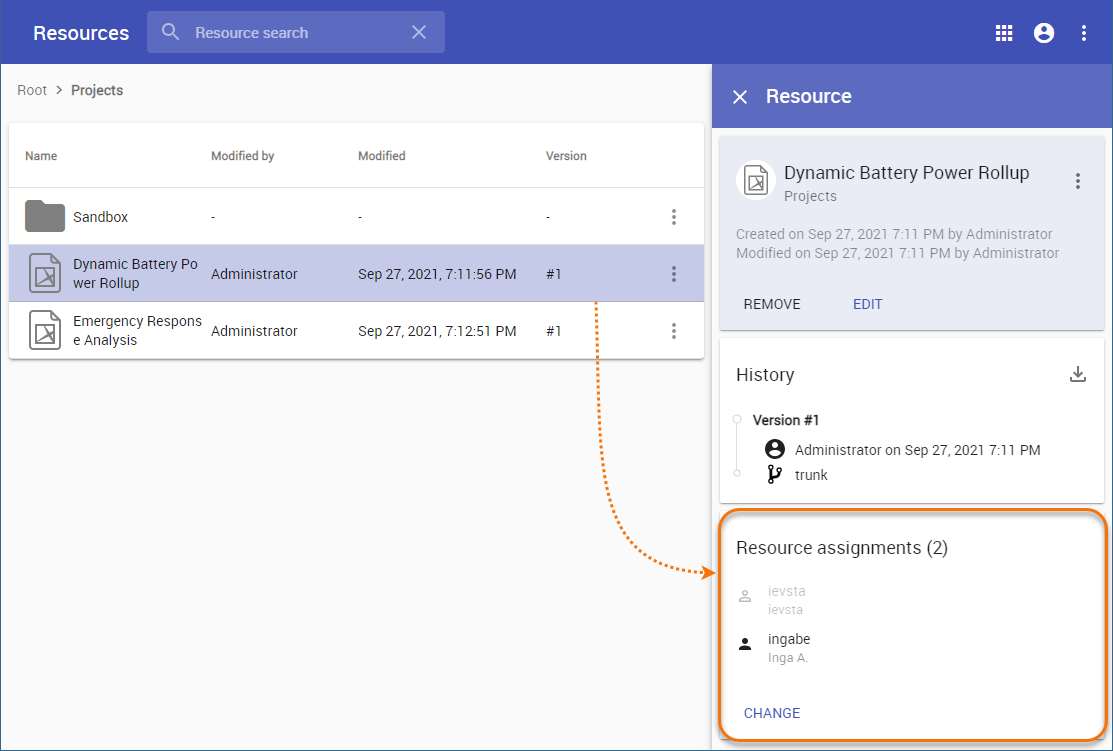 Image Added Image Added
Changing resource assignments.Back to top Reporting CapabilitiesGenerating project revisions reportThis version of Teamwork Cloud introduces the functionality allowing you to export the history of any Teamwork Cloud project into an Excel spreadsheet. Sharing project revision reports can be a quick and easy way to demonstrate the project progress to team leads or project managers.
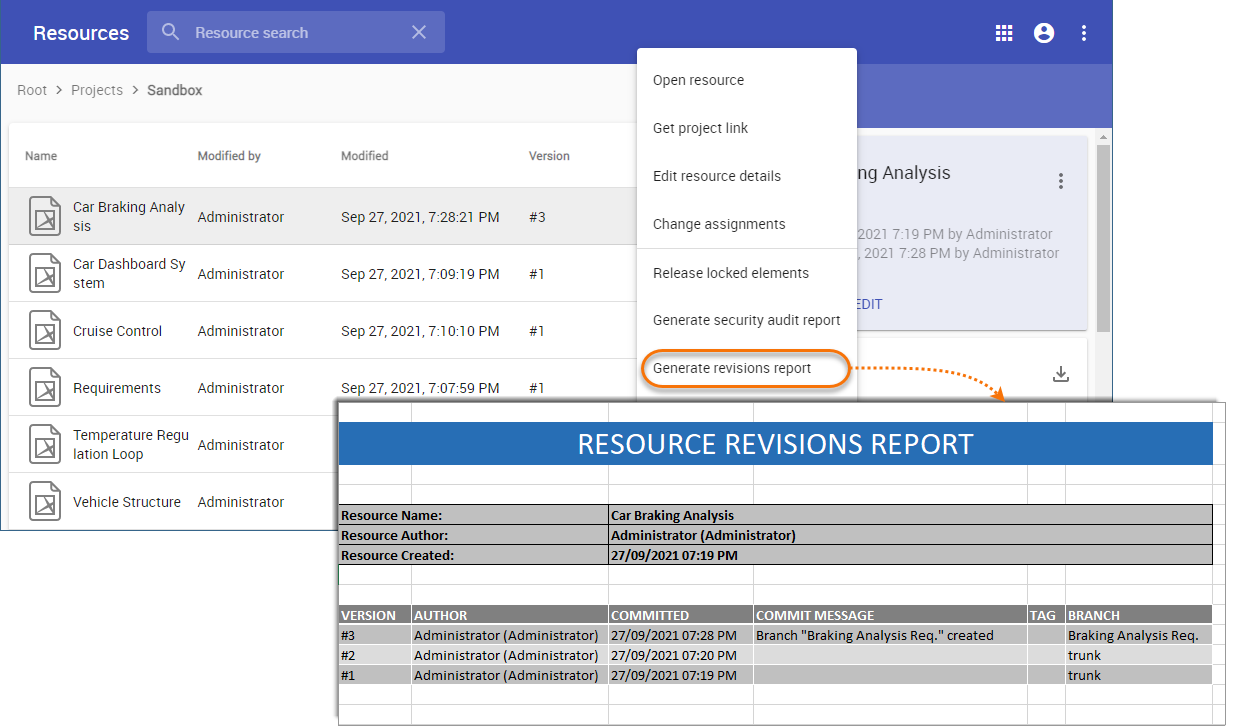 Image Added Image Added
Exporting project history into Excel.Monitoring user activityNow Teamwork Cloud allows you to monitor user activity in the Settings application, which will help you analyze how many consecutive users connect to Teamwork Cloud on a daily basis and how often the licence is used.
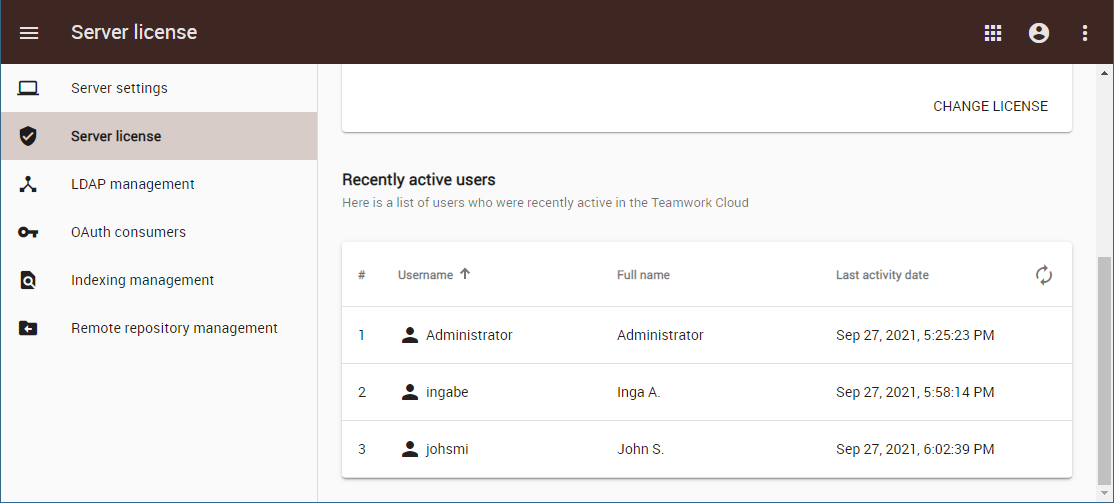 Image Added Image Added
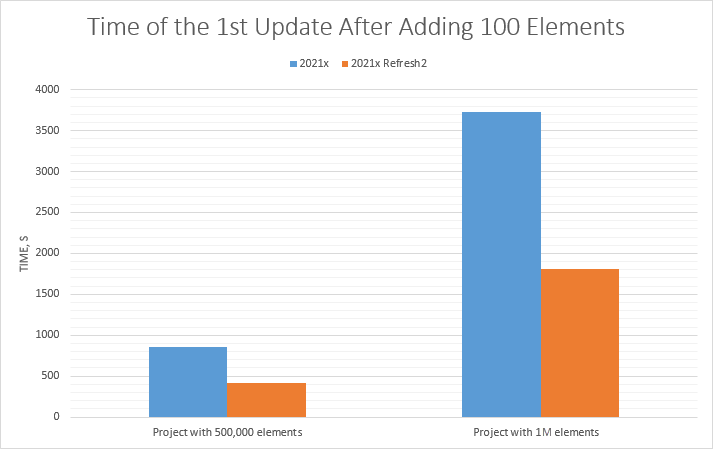
The Settings application displaying recently active users.Back to top New Deployment OptionsIn version 2021x Refresh2, Web Application Platform and all of its plugins are provided as separate web applications. This allows containerizing web applications in order to define different deployment topologies based on user needs. As shown in the figure below, you are free to choose a custom deployment option for your company to increase performance and scalability.
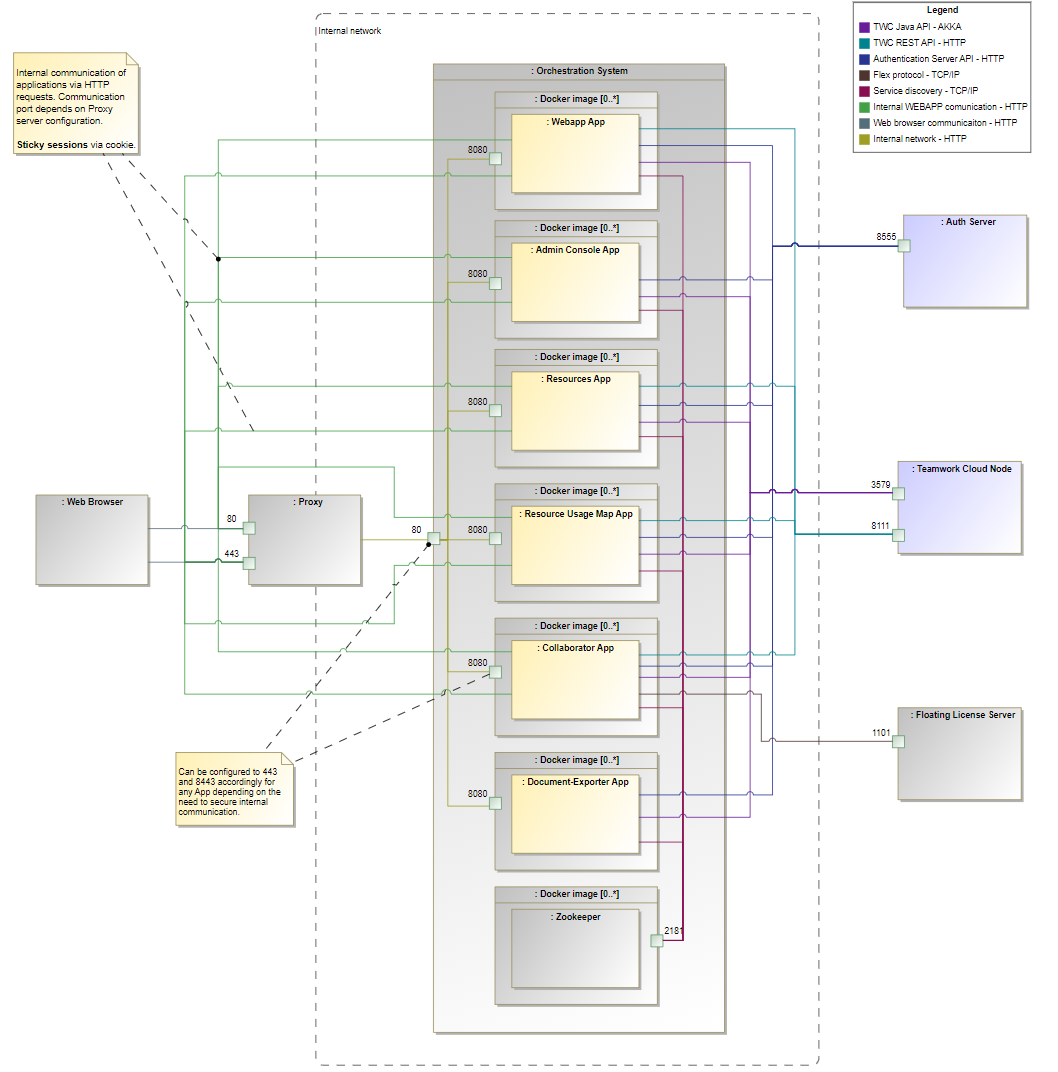 Image Added Image Added
Other- When updating Teamwork Cloud to a new version, be aware that several Authentication server properties have been modified. The default value of the authentication.redirect.uri.whitelist property needs to be changed to "https://$<web_application_server_IP>:<port>/". In addition, the following new properties need to be added to the property file: authentication.unlimited.token.expirity, authentication.client.unlimited, disable.credentials.authentication.
- If you use SAML Identity Provider, note that the following new properties need to be added to the Authentication server properties file: authentication.saml.authn.contexts, authentication.saml.authn.context.comparison.type, authentication.saml.error.visible.
REST API Change LogThe Nested categories in Teamwork Cloud.Managing User Permissions and AssignmentsNow all external users created in Teamwork Cloud upon successful authentication can automatically be given a certain set of permissions and assignments. Once you enable the Default user permissions template option, all newly created external users are instantly added to the dedicated Default Template user group. This way you can manage new user permissions and assignments a lot quicker because they simply inherit them from the dedicated user group. 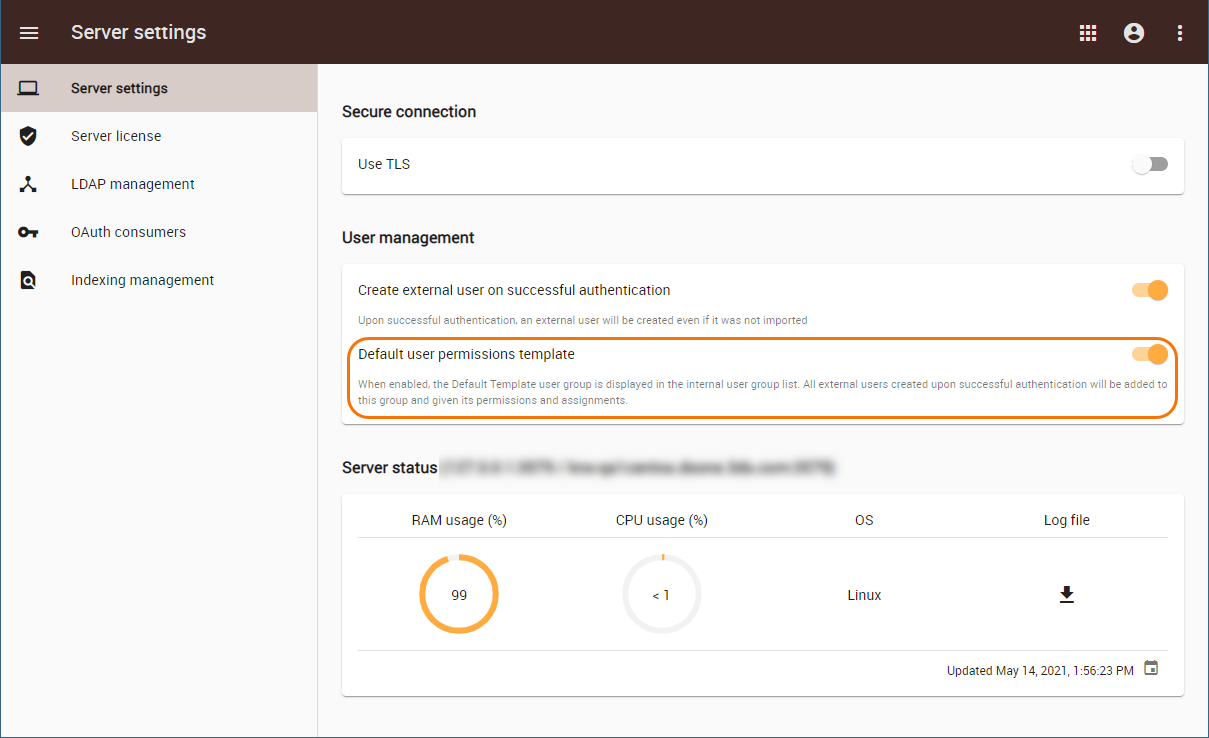 Image Removed Image Removed
A new option in the Settings application allowing you to manage new user permissions and assignments.REST API Change LogThe REST API change log concerns the following areas: - Format changes in JSON syntax and a character set in an HTTP header.
- Use of Swagger UI 3.0 and Open API 3.0Changes in data types.
A new query parameter.New URLs.data type of ProtectedObjectAccessible. Changes in ProtectedObject, UserGroup, and LDAP Resync data types.
Back to top |