
...
- Navigate to the Resources application and go to the category where the relevant resource is located.
- Do one of the following:
- Click
 next to the resource and select Generate revisions report.
 - Open the Resource pane. On the resource details card click and select Generate revisions report.
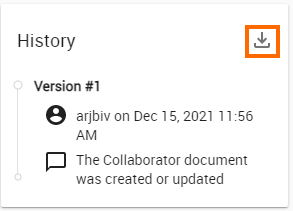
- Open the Resource pane. On the top right of the History card click the icon displayed below:
- Click
- In the window that opens, select Download to generate and download the report.
...