
...
If you try to add a project that requires a standard profile that does not exist on the server yet, the standard profile will be automatically imported to the server as well. We highly recommend moving such standard profiles to a collaborative space dedicated to standard profiles.
Creating public collaborative spaces
We recommend that administrators responsible for managing MBSE in the platform create a new public collaborative space. This space should be viewable by all users, but only editable by the administrator.
...
- In the platform, click the Compass icon
 and locate Collaborative Spaces Control Center under My Apps.
 - Click Create Collaborative Space.
- In the dialog that opens, enter the owner’s name (if it’s different from the current user), the title (mandatory), and a description of the collaborative space.
- Choose Family: Design and Visibility: Public.
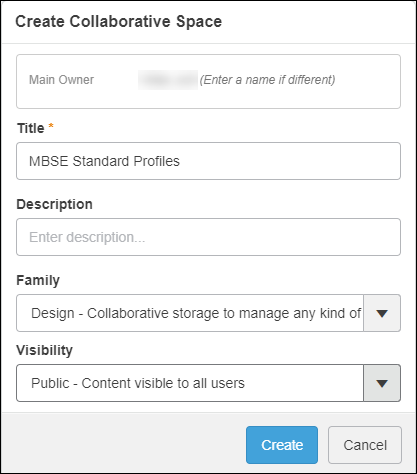
- Click Create.
Importing profiles to the server
Once the collaborative space is created, users can import profiles to the server.
...