...
| id | 1918676542 |
|---|
...
| id | 1918676563 |
|---|
...
| id | 1918676540 |
|---|
On this page
| Table of Contents | ||
|---|---|---|
|
...
The color for the whole document is not set in templates. It is rgb(0, 0, 0) by default. If you want to set a non-default color, you have to add color information to the HTML template as a
...
CSS color
...
property.
However, some elements of exported documents use non-default colors. If you want to change the font color of such an element, you need to locate the element in the templates and change its font color value.
Example of changing the font color for the whole document
Let’s assume you want to change the font color for the whole document to rgb(90, 90, 90) (dark grey).
To change the font color for the whole document
- Open
...
- the <template_folder>/common/styles.html
...
- file.
- Find
...
- the style
...
- tag with th:fragment="CommonStyles".
Locate
...
the body
...
tag within and add
...
the color: rgb(90, 90, 90);
...
property to the list of other body style attributes.
Code Block <style th:fragment="CommonStyles"> body { color: rgb(90, 90, 90); … } … </style>
If you export a document with the added color property, you will see that the font color of the document text is dark grey, as shown below.
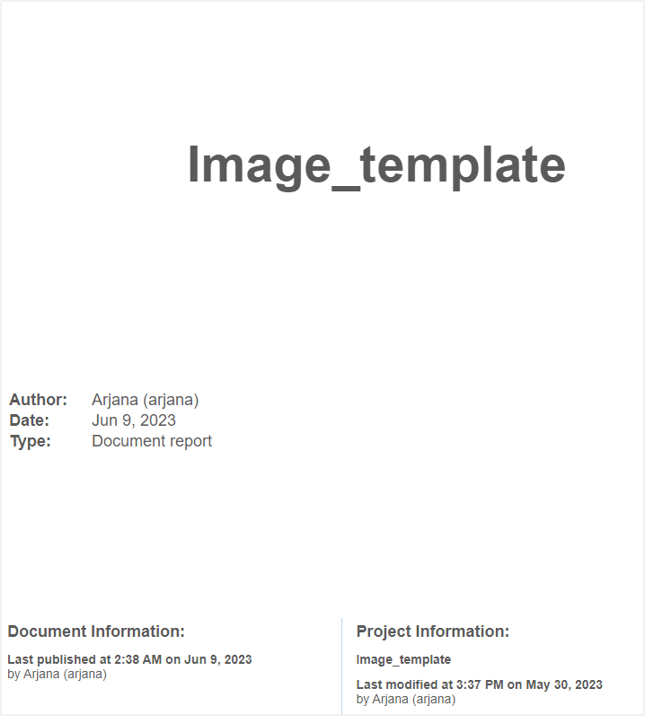
A sample document with the font color changed to dark grey.
Example of changing the font color of page numbers in the footer
Let’s assume that you want to change the font color of the pagination information at the bottom of the page to blue.
To change the font color of page numbers in the footer to blue
- Open
...
- the <template_folder>/common/footer.html
...
- file.
- Find the style tag
...
- with th:fragment="CommonStyles".
Locate
...
the .footer
...
class definition and change the color property value
...
to blue.
Code Block <style th:fragment="CommonStyles"> .footer { color: blue; … } … </style>
Now, the page numbers in the footer of the exported document will be in blue font.