The cross-version compatibility checking mechanism is triggered when a project with new feature usages is loaded with an older version of the modeling tool. The mechanism tracks feature usages of the 2021x R1 Refresh 1 version, which results in the appearance of a Missing features detected notification in earlier modeling tool versions. The following table shows tracked features , and the version they appear in, and whether the project . Projects can be committed/saved without any consequences.
| Excerpt | |||||||||||||||
|---|---|---|---|---|---|---|---|---|---|---|---|---|---|---|---|
Secure to commit/save |
|
If you are working with features that can cause inconsistencies after save/commit (see the table above), the following warning message indicating possible consequences if you proceed will be shown.
...
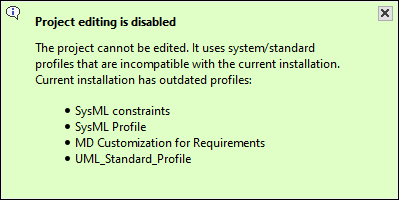
Compatibility of profiles While the tool is backward compatible, we highly recommend for every user working on a particular project to use the same version of the tool. For example, if you use an older version of the tool and open a project created with a later version, a balloon notification pops up:
To avoid this:
|