
...
After completing the above steps, you will get a notification that the import process has started. If you import a large number of users at once, it may take a while before the import is finished.
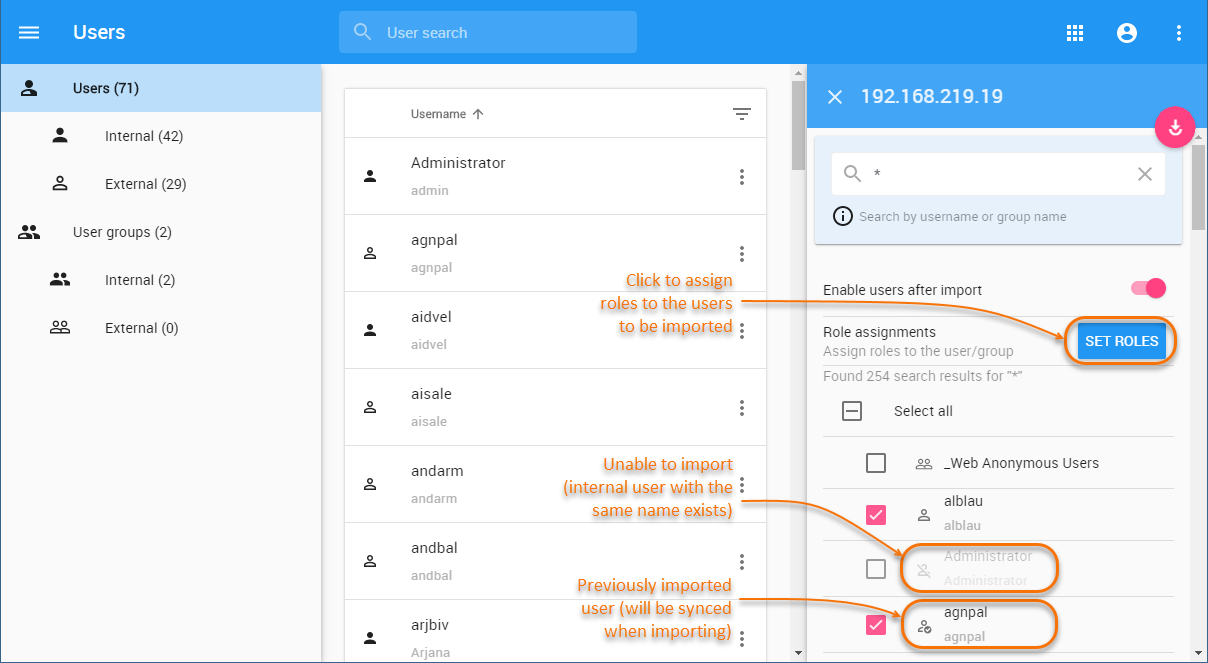
Importing users and user groups in the Users application.
When imported users are new, external users are created and the selected roles are assigned to them (see step 5). If you import users that have been imported before, the existing user information is synchronized during the import process but the role assignments stay the same. For more information, see Synchronizing users and user groups.