Cameo Requirements Modeler Plugin 2024x Documentation
You are viewing an old version of this page. View the current version.
Compare with Current View Page History
« Previous Version 2 Current »
The Documentation tab shows information associated with a selected model element in the Model Browser or on a diagram pane.Documentation tabThe Documentation tab in the quick properties panel.To open the Documentation tab, do one of the followingIn the Model Browser, click the Documentation tab.On the Window menu, click Documentation.If there is no documentation for the selected element, the text area is empty.To write documentation for the selected model elementIn the Documentation tab, click the text area and type the text. To turn on the HTML textIn the Documentation tab, click the HTML check box.The HTML toolbar opens and you can type the HTML text.
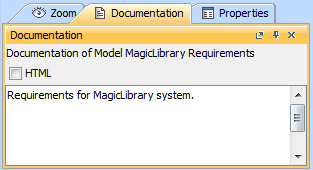
Documentation tab
To open the Documentation tab, do one of the following
On the Window menu, click Documentation.
If there is no documentation for the selected element, the text area is empty.
To write documentation for the selected model element
To turn on the HTML text
The HTML toolbar opens and you can type the HTML text.