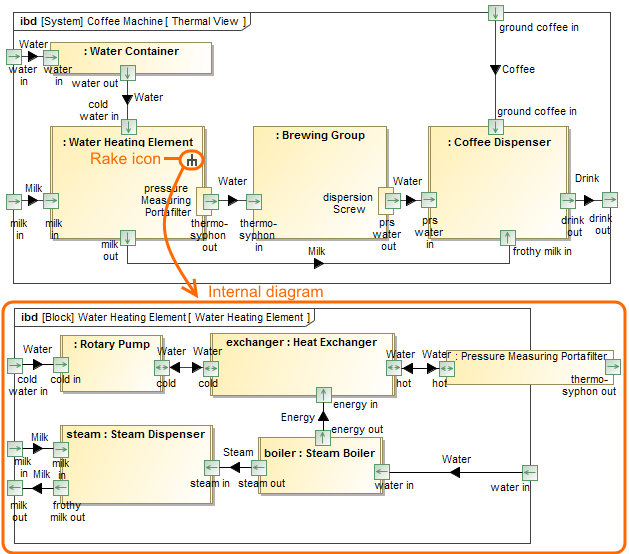
You can use rake icon for faster navigation in the model. The rake icon on the symbol indicates that the appropriate element has an internal structure. Double-click the element to open the internal diagram. The rake icon is shown by default on the symbol.
To hide rake icon
- Right-click the symbol.
- Select Symbol Properties from shortcut menu or press Alt+Enter.
- Set the Show Rake Icon property value to false.