



Released on: July 11, 2025
The latest update to Teamwork Cloud and Cameo Collaborator brings several key improvements for enhanced user experience and efficiency.
The Teamwork Cloud Admin UI now offers Cameo Collaborator and Simulation Toolkit licenses management options as well as a simplified SAML configuration, including the ability to set up and test configurations.
Cameo Collaborator enhancements include the ability to choose project version in the table comparison view and share links to the latest table version, providing clearer version management.
Teamwork Cloud
License Management Improvements
This update allows you to manage Cameo Collaborator and Simulation Toolkit web licenses directly through the Settings application in Teamwork Cloud Admin. The feature supports both DSLS and FlexNet licenses, making license management more accessible.
For administrative convenience, you can still configure licenses via the old method using the webappplatform.properties file.
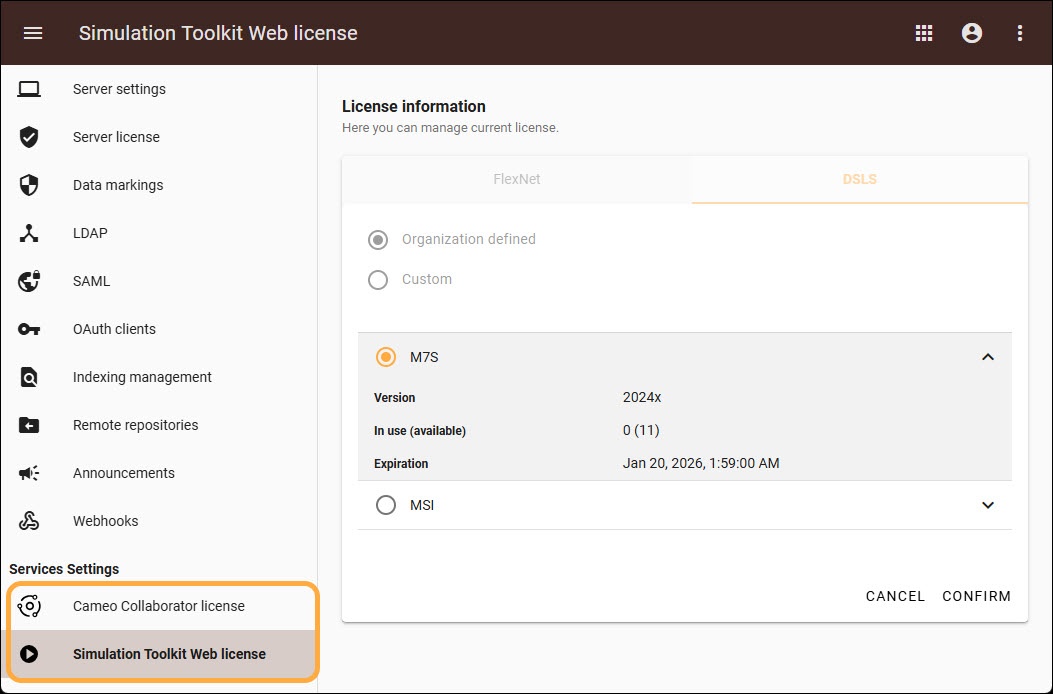
Applying server license using Teamwork Cloud Admin user interface.
SAML Configuration Upgrades
From now on, SAML is configured via the UI and no longer from the properties file. You can set up SAML configuration directly through the user interface in the Settings application, with configurations stored in Cassandra. The update also introduces new features that allow users to test SAML configurations directly within the UI, simplifying the setup and testing process and improving the overall user experience.
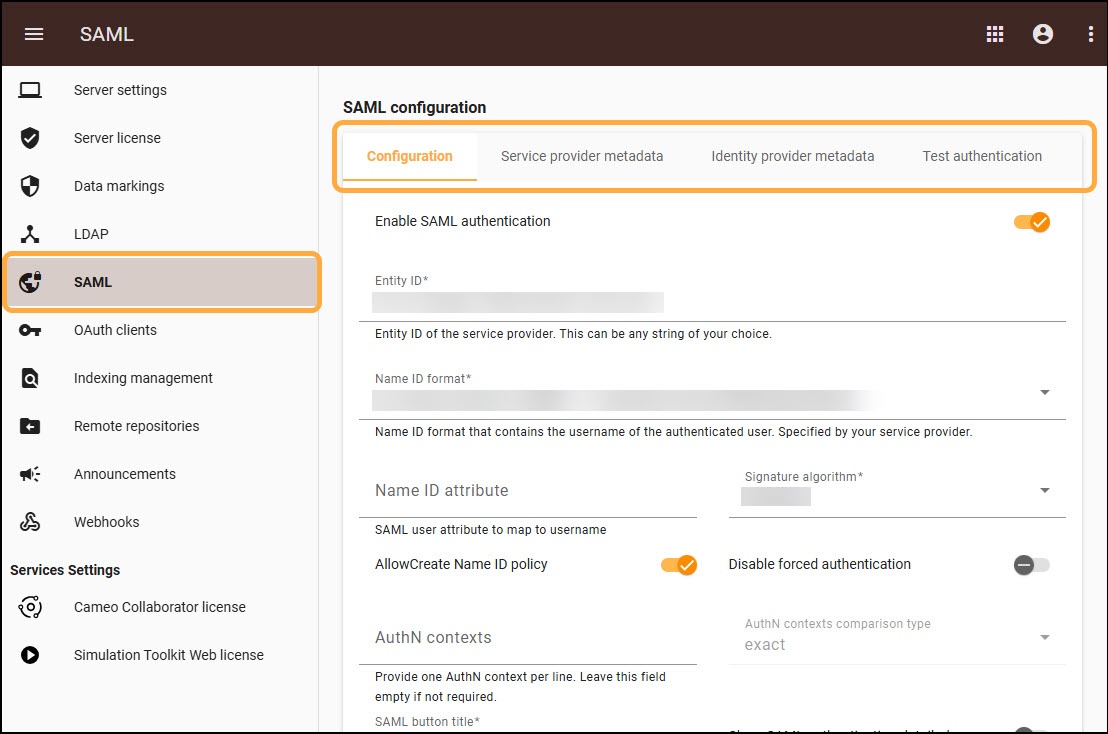
Configuring SAML in Teamwork Cloud Admin Settings.
Improved User Group Customization
When creating or editing conditional user groups, available attributes are now displayed for easier customization.
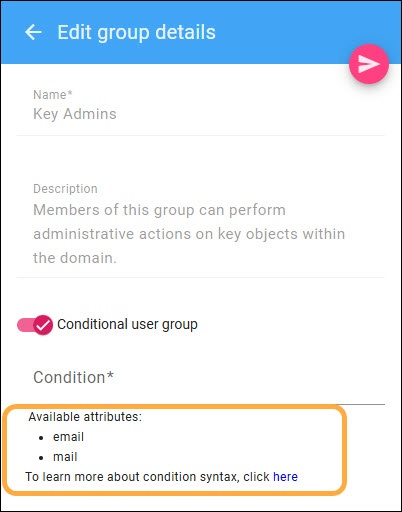 Viewing available attributes for conditional user group.
Cameo Collaborator for Teamwork Cloud
Enhanced Table Comparer
In this Cameo Collaborator update, users working with editable documents in the table comparison view can now switch between document and project versions. When a user changes the project via the document, it updates the project version but not the document version. The project version switcher makes it easy to switch between not only document versions, but project versions related to that particular document version too, allowing you to compare documents published for editing.
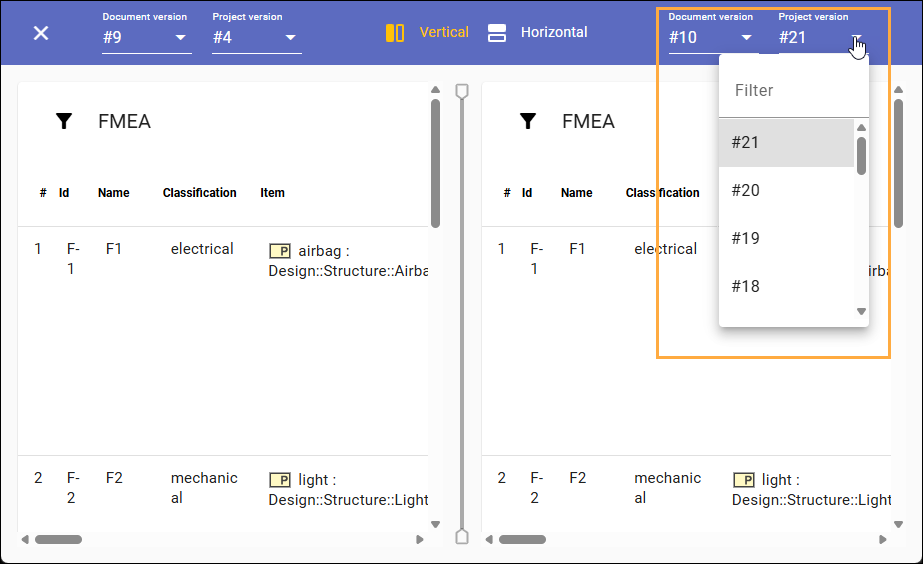
Selecting project version in table comparer.
Sharing Link to the Latest Table Version
In addition to obtaining a dynamic link to diagrams, users can now share a link to the latest version of a table. This allows recipients to access the newest table version for better collaboration in documents.
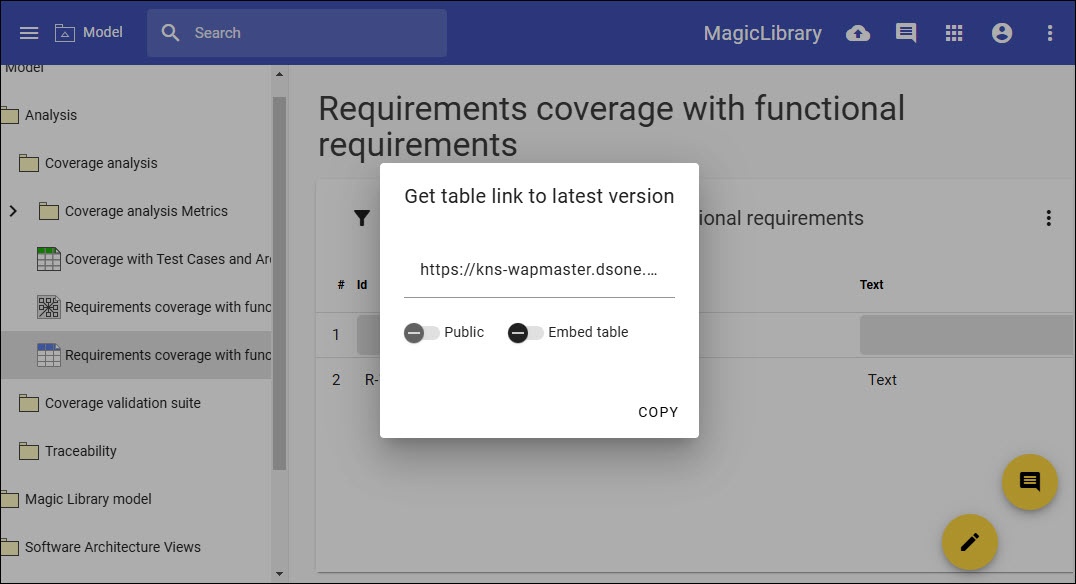
Getting link to the latest version of a table.
Other Improvements
- When creating the URL for diagrams or adding content (inserting), specific project version is now remembered and stored, ensuring consistent version tracking.
- The state of tables—such as filters, sorting, and column width changes—will now be preserved until you reopen or refresh the document. This ensures that when you return to a table, it is restored to its previous state.