

You can apply custom or predefined aspects for preexisting diagrams. It is possible to apply multiple aspects for one diagram. The aspects can be applied for all diagrams except Activity diagram, State Machine diagram, and Sequence diagram diagrams. The procedure below describes how to apply/remove an aspect for a diagram.
To apply/remove an aspect for a diagram
- From the diagram shortcut menu, point to Aspect, and choose an appropriate aspect from the list.
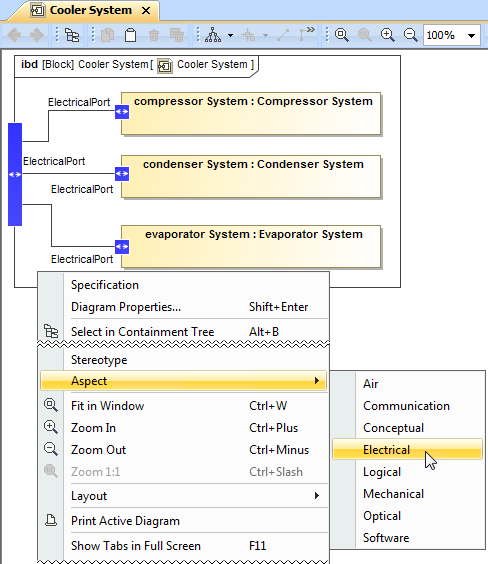
Applying an aspect for a diagram. The illustration displays concepts from SysML Plugin.
Sample model
The model used in the figures of this page is the Diagram aspects sample models that comes with SysML Plugin Documentation. To open this sample properly you need to Installing plugins in earlier versions in the MagicDraw and:
- Download diagram aspects.mdzip.
- Find in the modeling tool: <modeling tool installation directory>\samples\SysML\diagram aspects.mdzip.