SysML Plugin TWRT Documentation


You can display allocations in a callout or in a compartment of an element symbol.
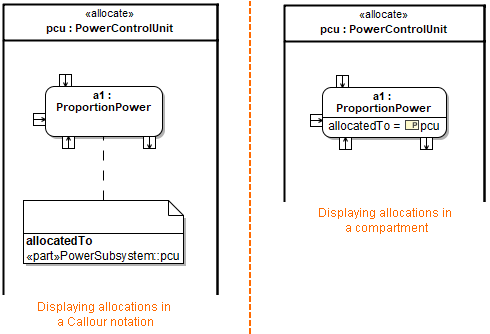
Examples of displaying allocations.
To display element properties, constraints, and/or tagged values on a note symbol
To see compartment editing results, make sure element properties, constraints, and/or tagged values are displayed on the note symbol.
- Draw a note to an element whose documentation you want to display.
- Select a note and click the Compartments button on the left.
In the list, click to select the following:
Element Properties
Constraints
Tagged Values
Element properties, constraints, and / or tagged values are displayed on the note symbol in the separate compartments.
You can choose which element properties, constraints, or tagged values to display on the note symbol by editing an appropriate compartment.
To edit a compartment on a note symbol
- Open the Compartment Edit dialog by doing one of the following:
- From the note shortcut menu, select Edit Compartments.
- Select a note and click Edit Element Properties on the right.
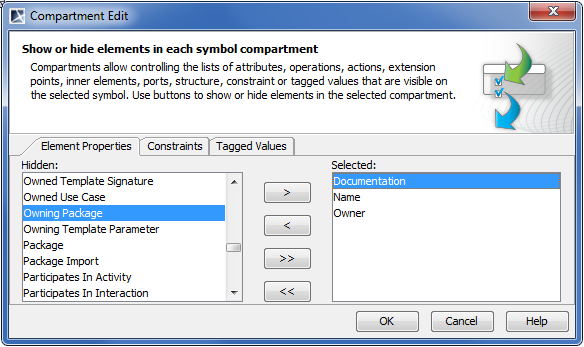
- Move elements between Hidden and Selected lists using the >, <, >>, or << buttons. Only items from the selected list will be displayed in the compartment on the note’s symbol.
- Click OK after you are done.
Allocations
To display allocations, in the Element Properties tab, select Allocated To and/or Allocated From to display.
Overview
Content Tools