

You can display allocations in a callout or in a compartment of an element symbol.
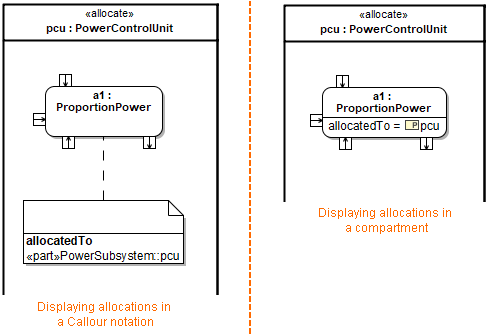
Examples of displaying allocations.
To display element properties, constraints, and/or tagged values on a note symbol To see compartment editing results, make sure element properties, constraints, and/or tagged values are displayed on the note symbol. In the list, click to select the following: Element Properties Constraints Tagged Values Element properties, constraints, and / or tagged values are displayed on the note symbol in the separate compartments. You can choose which element properties, constraints, or tagged values to display on the note symbol by editing an appropriate compartment. To edit a compartment on a note symbol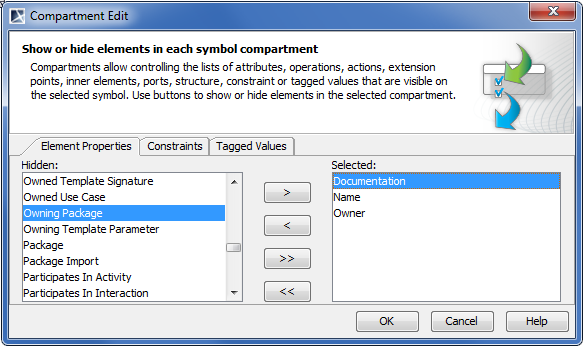
Allocations
To display allocations, in the Element Properties tab, select Allocated To and/or Allocated From to display.