SysML Plugin TWRT Documentation


On this page
Introduction
The Automatic Instantiation wizard analyzes the structure of a selected element and collects all available information about that element from the model (attributes, properties, and so on). It evaluates collected information and suggests all possible instances to be created.
This tool allows you to create instances of various entities with just a few clicks. It is useful for working with complex models, and for assembling large systems from parts. For properties having a multiplicity of more than 1, you can create as many instances of the same type as you need, since parallel parts can be added while creating instances. While creating instances automatically, you can:
- Select properties for which the instances will be created.
- Change types of the instantiated properties.
- Change names of the instantiated properties.
- Apply custom stereotypes to the instantiated properties.
- Assign default values for the instantiated properties.
The wizard consists of the following areas:
- Steps area: displays all steps of the wizard and shows the current step you are working on.
- Element tree: displays the entire internal structure of the selected element.
- Selection area: allows you to select the elements to be instantiated.
- Instantiated properties area: allows you to change the default values and create several different sets of instances.
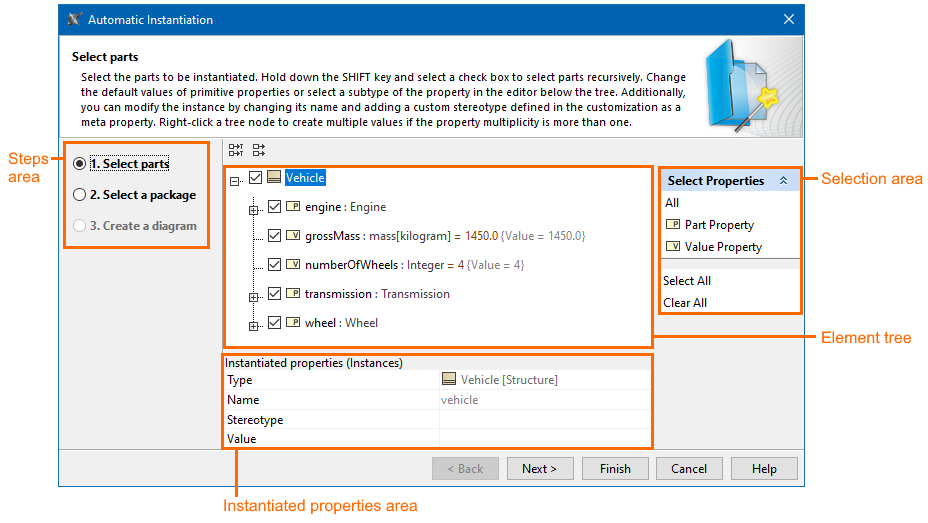
The Automatic Instantiation wizard of the Vehicle Block with the main areas highlighted: Steps area, Element tree, Selection area, and Instantiated properties area.
Using the Automatic Instantiation wizard
To create and display instance specifications of Blocks in the diagram by using the Automatic Instantiation wizard
- Select the Block for which you want to create instances.
- From the shortcut menu, select Tools > Create Instance (see the following figure).
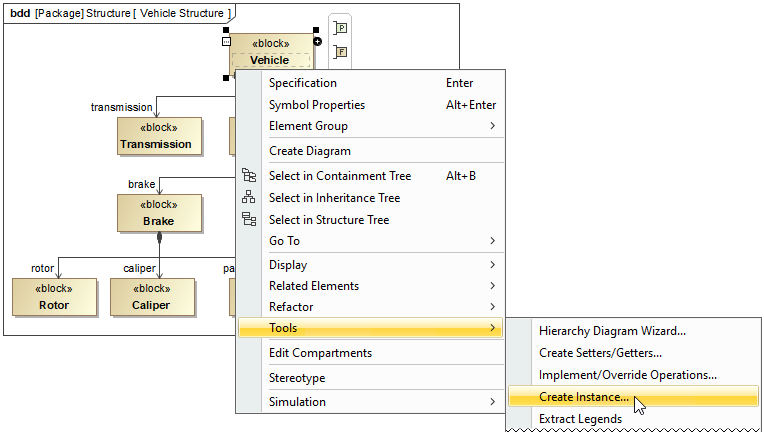
Follow the steps of the Automatic Instantiation wizard. How to work in each step of the Automatic Instantiation wizard >>
If you are satisfied with the default values provided in the Automatic Instantiation wizard, you can finish the wizard in the first step without making any changes. The instances will be created with the default values and in your working package. To change default values or create several different configurations, read Steps of the Automatic Instantiation wizard.
- Click Finish when you are done.
Instance Specifications and a new SysML Block Definition Diagram are created for the selected Block (see the figure below). All part instances are grouped under their owners which allows you to visually identify the structure of nested instances in the Containment tree.
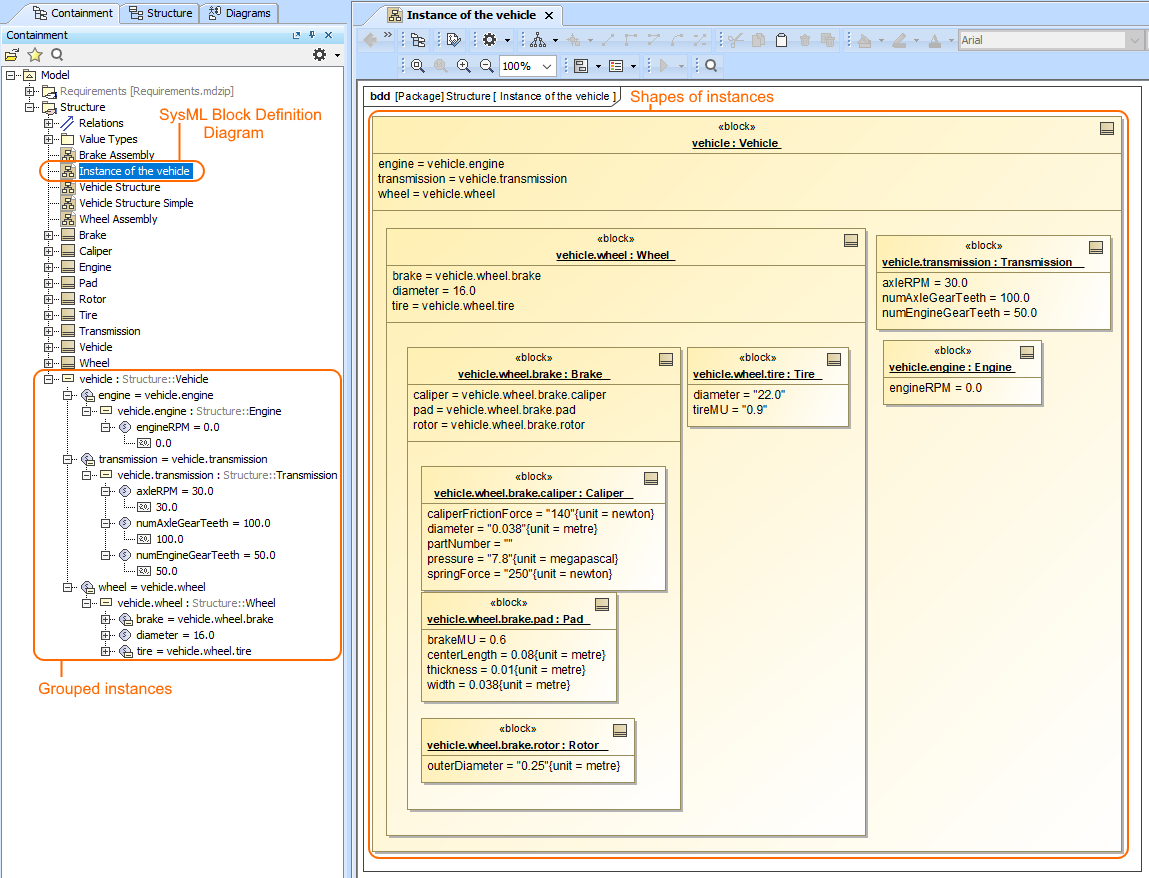
The Block Definition Diagram with instances of the vehicle Block is created by using the Automatic Instantiation wizard.
Related pages
Sample model
The model used in the figures of this page is the VehicleStructure sample model. To open this sample, download VehicleStructure.mdzip.
Overview
Content Tools